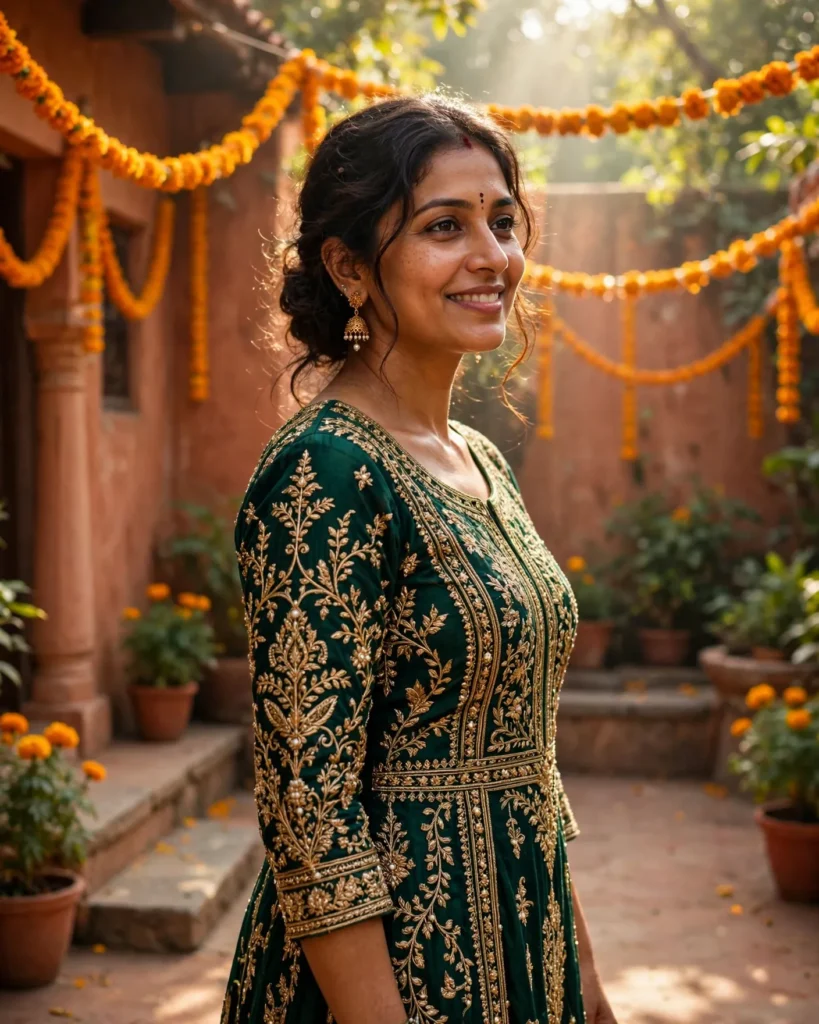
Looking for a copy-paste ready AI image prompt? Below is a complete, hand-crafted prompt for Traditional South Asian Portrait Prompt: Woman in Embroidered Attire, tuned for Stable Diffusion XL. Just copy the prompt, paste it into Stable Diffusion XL, and generate.
The Prompt
Photorealistic portrait of a graceful South Asian woman in her thirties wearing an intricately embroidered deep-emerald traditional outfit with gold threadwork, delicate jhumka earrings and a small bindi. She stands in a sunlit courtyard strung with marigold garlands, soft morning light filtering through, a gentle genuine smile on her lips. Shot on a Canon EOS R5 with a 50mm f/1.2 lens, shallow depth of field, rich jewel tones of emerald and gold against warm terracotta walls, intricate textile detail visible in the embroidery, natural glowing skin, festive yet serene mood, three-quarter body composition, ultra-detailed, 8k, sharp focus, cultural portrait photography, respectful and celebratory tone.
Copy the prompt above and paste it directly into Stable Diffusion XL — no editing needed.
Recommended Settings


- Best tool: Stable Diffusion XL
- Aspect ratio: 4:5
Negative Prompt
blurry, low quality, watermark, distorted face, deformed hands, extra fingers, stereotyped, washed out colors, text errors
Add the negative prompt above in Stable Diffusion XL’s negative prompt field to avoid common artifacts.
How to Use This Prompt

- Copy — select the prompt text above and copy it.
- Paste into Stable Diffusion XL — open Stable Diffusion XL and paste the prompt into the prompt box.
- Set 4:5 — choose the 4:5 aspect ratio before generating.
- Generate and refine — run 2–3 variations and keep the best one.