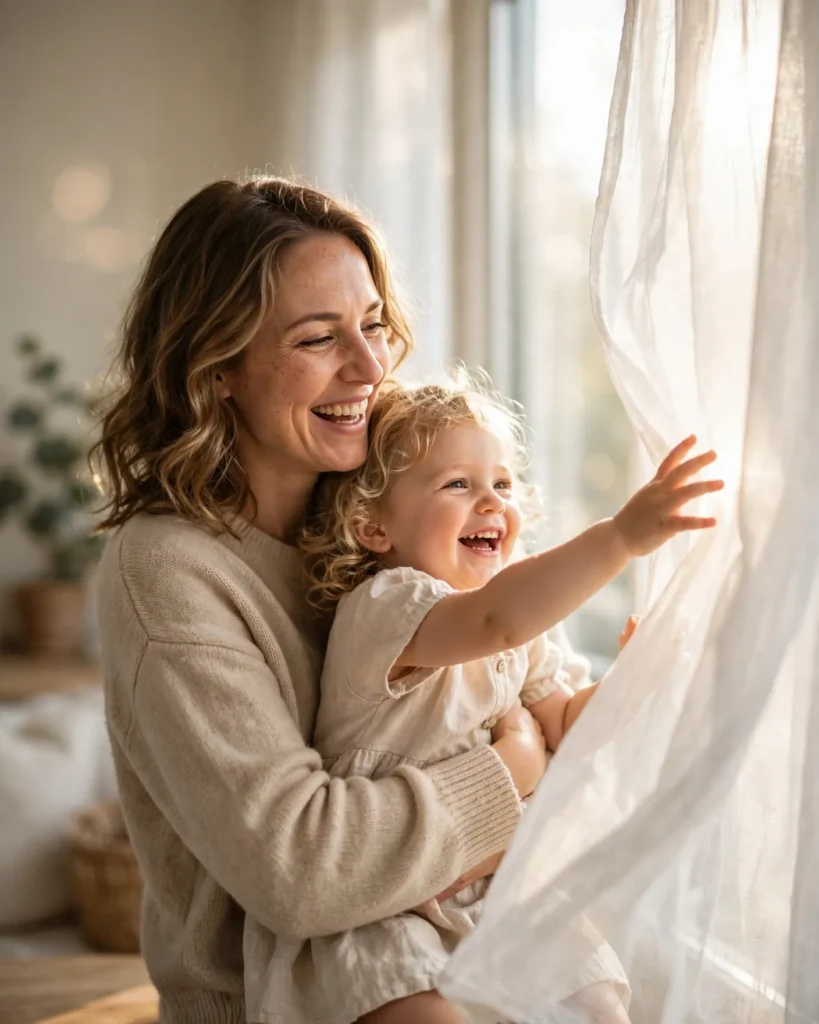
Looking for a copy-paste ready AI image prompt? Below is a complete, hand-crafted prompt for Soft Window Light Portrait Prompt: Mother and Child Lifestyle Moment, tuned for Flux. Just copy the prompt, paste it into Flux, and generate.
The Prompt
Tender lifestyle portrait of a mother in her early thirties holding her toddler daughter beside a large sunlit window, both laughing softly as the child reaches toward the light. Sheer white curtains diffuse the daylight into a soft glowing wrap, gentle highlights on their hair, cozy cream and oatmeal tones throughout. The mother wears a soft beige sweater, the child a tiny linen dress. Shot on a Nikon Z8 with a 35mm f/1.8 lens, authentic candid emotion, natural skin tones, subtle motion in the curtain fabric, shallow depth of field with the room falling into creamy bokeh, airy bright composition, ultra-detailed, 8k, sharp focus, heartwarming family portrait photography, genuine and intimate mood.
Copy the prompt above and paste it directly into Flux — no editing needed.
Recommended Settings


- Best tool: Flux
- Aspect ratio: 4:5
Negative Prompt
blurry, low quality, watermark, distorted faces, deformed hands, extra fingers, harsh shadows, oversaturated, staged
Add the negative prompt above in Flux’s negative prompt field to avoid common artifacts.
How to Use This Prompt


- Copy — select the prompt text above and copy it.
- Paste into Flux — open Flux and paste the prompt into the prompt box.
- Set 4:5 — choose the 4:5 aspect ratio before generating.
- Generate and refine — run 2–3 variations and keep the best one.