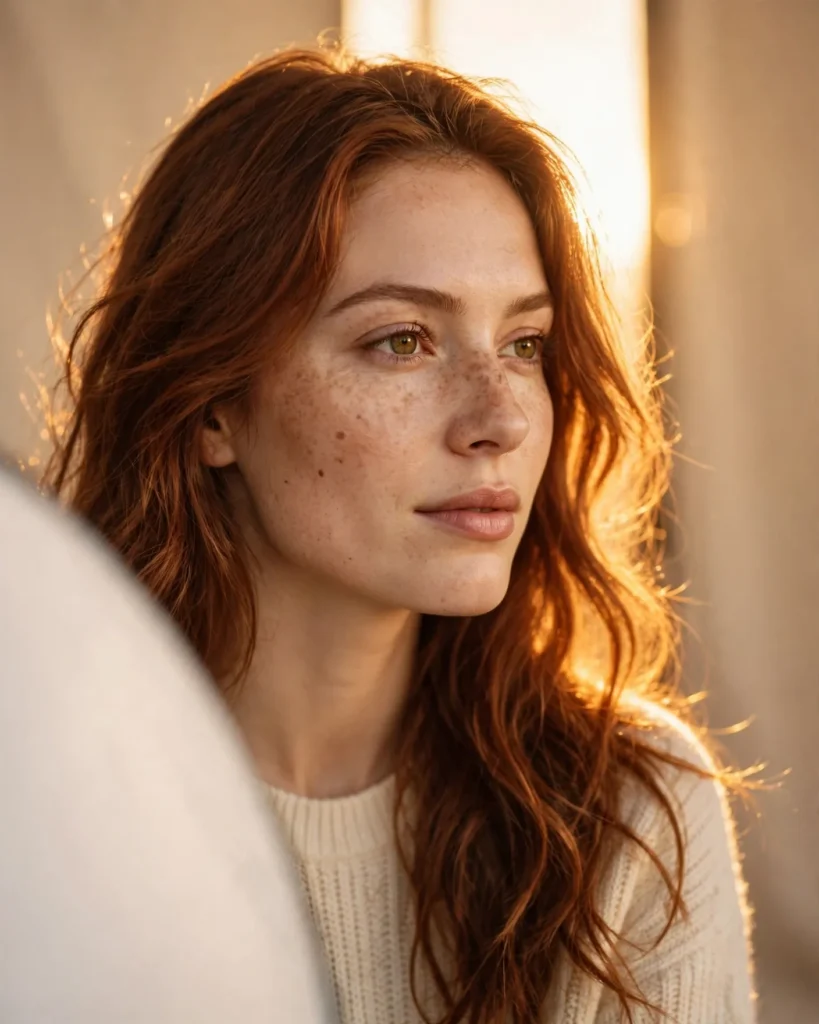
Looking for a copy-paste ready AI image prompt? Below is a complete, hand-crafted prompt for Golden Hour Studio Portrait Prompt: Warm Backlit Woman with Freckles, tuned for Midjourney. Just copy the prompt, paste it into Midjourney, and generate.
The Prompt
Photorealistic studio portrait of a young woman in her late twenties with natural freckles across her nose and loose auburn hair falling over one shoulder, captured in a simulated golden-hour session. Warm amber backlight streams through a tall window softbox behind her, tracing a glowing rim along her hair and shoulders, while a large white reflector softens the light on her face. She wears a simple cream knit top and gazes slightly off camera with a calm, confident expression. Shot on a Canon EOS R5 with an 85mm f/1.4 lens, shallow depth of field, natural skin texture with visible pores, subtle film grain, warm peach and honey color grade, seamless warm-beige studio backdrop, rule-of-thirds composition, ultra-detailed, 8k, sharp focus, professional beauty photography.
Copy the prompt above and paste it directly into Midjourney — no editing needed.
Recommended Settings
- Best tool: Midjourney
- Aspect ratio: 4:5
Negative Prompt
blurry, low quality, watermark, text, distorted face, deformed hands, extra fingers, plastic skin, oversaturated, harsh shadows, noise
Add the negative prompt above in Midjourney’s negative prompt field to avoid common artifacts.
How to Use This Prompt
- Copy — select the prompt text above and copy it.
- Paste into Midjourney — open Midjourney and paste the prompt into the prompt box.
- Set 4:5 — choose the 4:5 aspect ratio before generating.
- Generate and refine — run 2–3 variations and keep the best one.