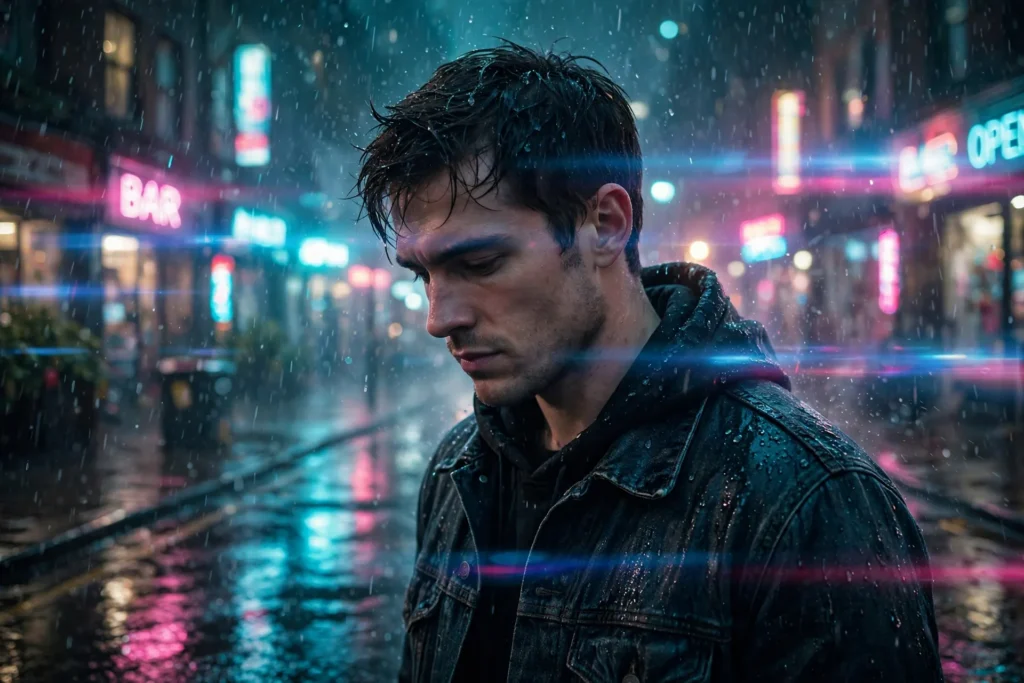
Looking for a copy-paste ready AI image prompt? Below is a complete, hand-crafted prompt for Rainy Neon Street Portrait Prompt: Cinematic Night City Mood, tuned for Ideogram. Just copy the prompt, paste it into Ideogram, and generate.
The Prompt
Cinematic portrait of a young man in his early thirties standing on a rain-soaked city street at night, neon signs in cyan and magenta reflecting in puddles around him. He wears a dark denim jacket with the collar turned up, rain droplets clinging to his hair and jacket, a contemplative expression as he looks slightly downward. Shot with a Sony A7R IV and 35mm f/1.8 lens, wet asphalt bokeh, glowing out-of-focus signage behind him, cool teal and hot pink color palette, volumetric haze, raindrops frozen mid-air, shallow depth of field, anamorphic-style lens flare, film-still quality, ultra-detailed, 8k, sharp focus, moody urban atmosphere, professional cinematic photography.
Copy the prompt above and paste it directly into Ideogram — no editing needed.
Recommended Settings


- Best tool: Ideogram
- Aspect ratio: 3:2
Negative Prompt
blurry, low quality, watermark, deformed hands, extra fingers, distorted face, daytime, oversaturated, cartoon, text errors
Add the negative prompt above in Ideogram’s negative prompt field to avoid common artifacts.
How to Use This Prompt

- Copy — select the prompt text above and copy it.
- Paste into Ideogram — open Ideogram and paste the prompt into the prompt box.
- Set 3:2 — choose the 3:2 aspect ratio before generating.
- Generate and refine — run 2–3 variations and keep the best one.