

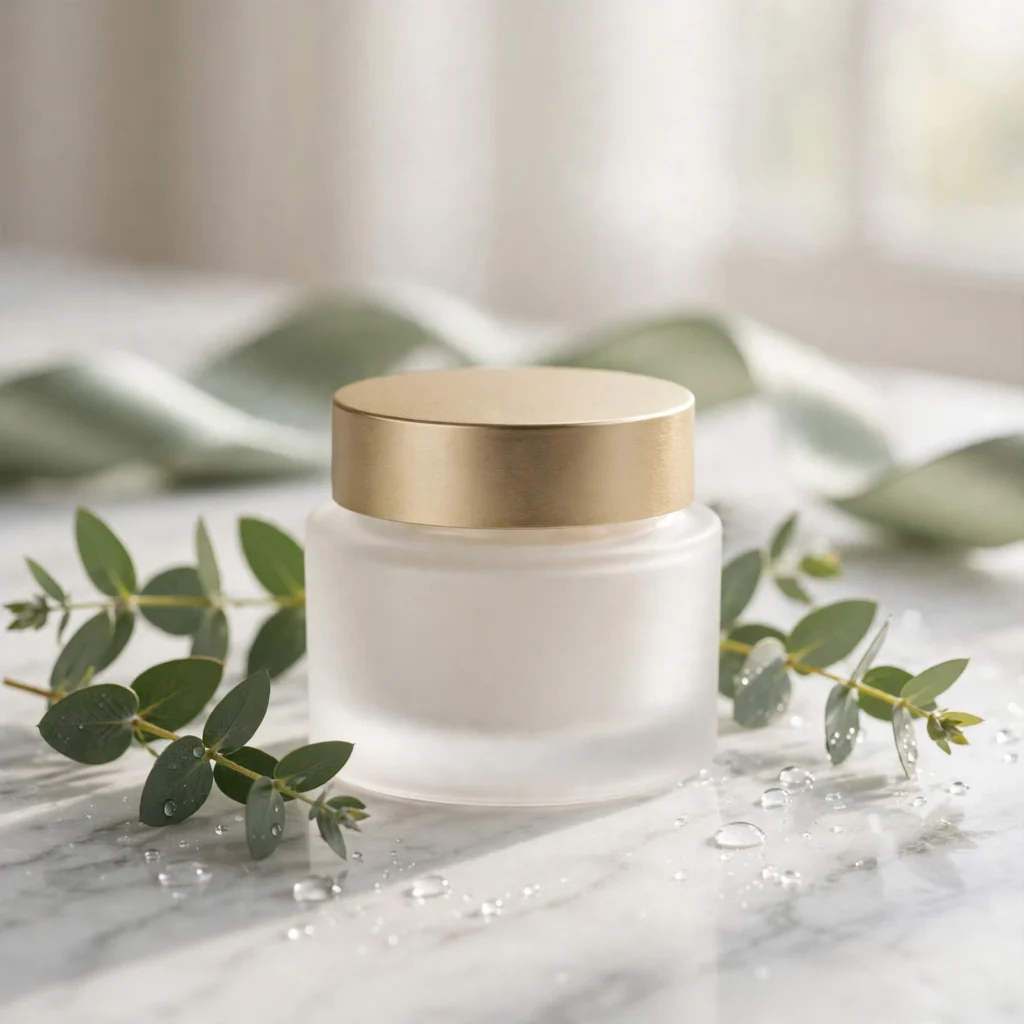
Looking for a copy-paste ready AI image prompt? Below is a complete, hand-crafted prompt for Cosmetic Cream Jar Mockup Prompt: Luxury Marble and Eucalyptus Scene, tuned for Midjourney. Just copy the prompt, paste it into Midjourney, and generate.
The Prompt
Elegant product photography of an unbranded frosted-glass cosmetic cream jar with a matte gold lid, centered on a polished white marble surface with soft grey veining. Fresh eucalyptus sprigs and a few scattered water droplets surround the jar, a silk ribbon draped loosely in the background. Soft diffused daylight from a large window creates gentle shadows and luminous highlights on the glass, airy bright composition with generous negative space. Shot with a 100mm macro lens look, shallow depth of field, clean palette of white, sage green and gold, crisp label-free packaging detail, ultra-detailed, 8k, sharp focus, luxury skincare advertising photography, fresh and premium mood.
Copy the prompt above and paste it directly into Midjourney — no editing needed.
Recommended Settings
- Best tool: Midjourney
- Aspect ratio: 1:1
Negative Prompt
blurry, low quality, watermark, text, logo, brand name, distorted jar, deformed lid, harsh shadows, oversaturated
Add the negative prompt above in Midjourney’s negative prompt field to avoid common artifacts.
How to Use This Prompt

- Copy — select the prompt text above and copy it.
- Paste into Midjourney — open Midjourney and paste the prompt into the prompt box.
- Set 1:1 — choose the 1:1 aspect ratio before generating.
- Generate and refine — run 2–3 variations and keep the best one.
