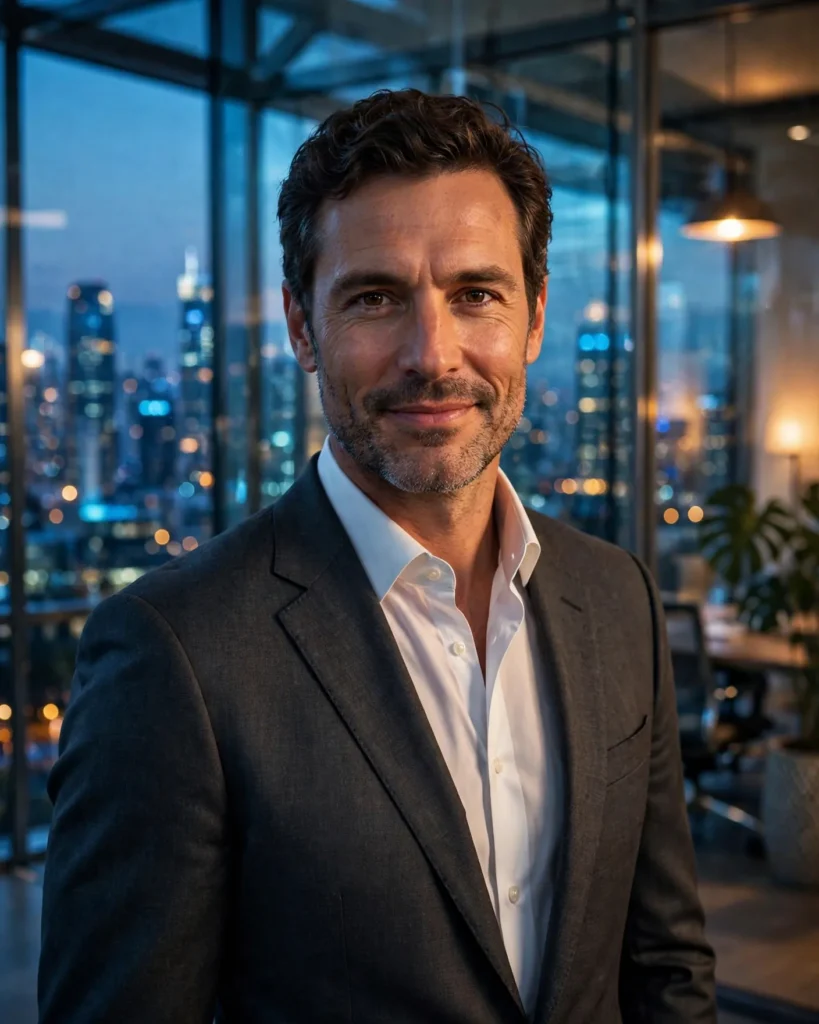
Looking for a copy-paste ready AI image prompt? Below is a complete, hand-crafted prompt for Corporate Executive Portrait Prompt: Glass Office Skyline, tuned for Ideogram. Just copy the prompt, paste it into Ideogram, and generate.
The Prompt
Polished photorealistic portrait of a confident male executive in his early forties standing in a modern glass office, city skyline glittering behind him at dusk. He wears a tailored charcoal suit, white shirt, no tie, arms relaxed, assured subtle smile. Cool blue ambient city light blends with warm interior office glow on his face, reflections of glass and steel around him. Shot on a Sony A7R V with a 50mm f/1.4 lens, shallow depth of field, sophisticated navy and warm amber palette, crisp tailoring detail, sharp intelligent eyes, professional headshot composition with environmental context, ultra-detailed, 8k, sharp focus, corporate editorial photography, powerful and approachable mood.
Copy the prompt above and paste it directly into Ideogram — no editing needed.
Recommended Settings


- Best tool: Ideogram
- Aspect ratio: 4:5
Negative Prompt
blurry, low quality, watermark, distorted face, deformed hands, extra fingers, stiff pose, cartoon, text errors
Add the negative prompt above in Ideogram’s negative prompt field to avoid common artifacts.
How to Use This Prompt


- Copy — select the prompt text above and copy it.
- Paste into Ideogram — open Ideogram and paste the prompt into the prompt box.
- Set 4:5 — choose the 4:5 aspect ratio before generating.
- Generate and refine — run 2–3 variations and keep the best one.