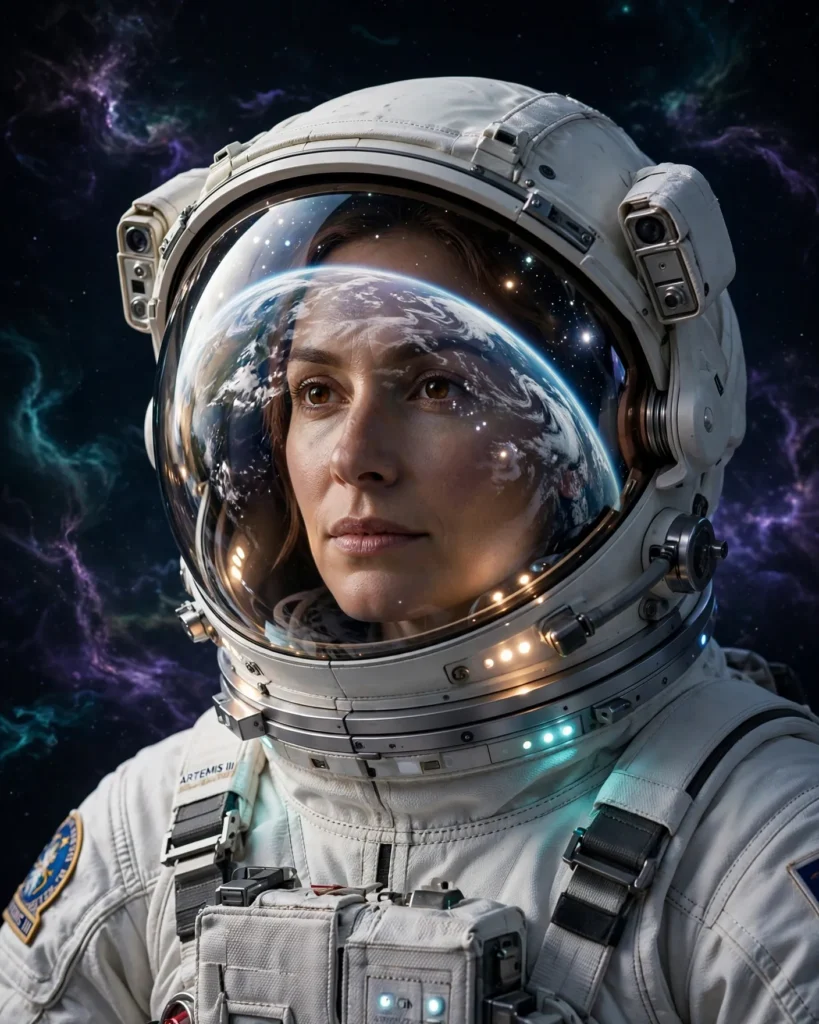
Looking for a copy-paste ready AI image prompt? Below is a complete, hand-crafted prompt for Astronaut Portrait Prompt: Helmet Reflection Among Stars, tuned for Midjourney. Just copy the prompt, paste it into Midjourney, and generate.
The Prompt
Breathtaking photorealistic portrait of an astronaut in a modern white spacesuit, the curved visor of the helmet reflecting a swirling blue-and-white Earth and scattered stars. Inside the visor, the calm focused face of a woman in her thirties is faintly visible through the anti-glare coating, suit lights casting a soft glow on her features. Deep black space surrounds her, distant nebula wisps in violet and teal. Shot with a cinematic 50mm look, extreme detail in suit fabric, stitching and helmet reflections, visor glare handled realistically, awe-inspiring and serene mood, centered composition, ultra-detailed, 8k, sharp focus, space editorial photography.
Copy the prompt above and paste it directly into Midjourney — no editing needed.
Recommended Settings

- Best tool: Midjourney
- Aspect ratio: 4:5
Negative Prompt
blurry, low quality, watermark, distorted face, deformed hands, cartoon, flat lighting, text errors, oversaturated
Add the negative prompt above in Midjourney’s negative prompt field to avoid common artifacts.
How to Use This Prompt
- Copy — select the prompt text above and copy it.
- Paste into Midjourney — open Midjourney and paste the prompt into the prompt box.
- Set 4:5 — choose the 4:5 aspect ratio before generating.
- Generate and refine — run 2–3 variations and keep the best one.