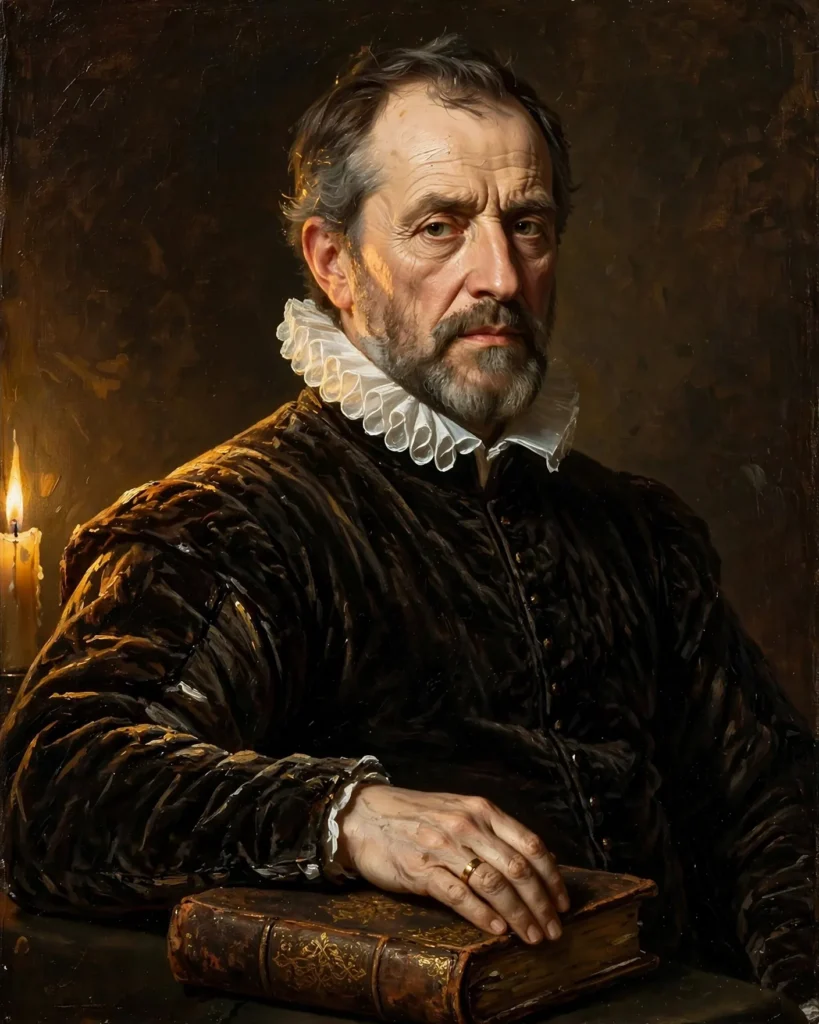
Looking for a copy-paste ready AI image prompt? Below is a complete, hand-crafted prompt for Renaissance Oil Painting Portrait Prompt: Candlelit Nobleman, tuned for Midjourney. Just copy the prompt, paste it into Midjourney, and generate.
The Prompt
Classical oil-painting style portrait of a dignified nobleman in his fifties in the manner of a Renaissance master, wearing a dark velvet doublet with a crisp white ruff collar, one hand resting on an ancient leather-bound book. Warm candlelight flickers from the left, casting dancing highlights on his thoughtful face and deep shadows across the umber background, visible brushstroke texture in the impasto highlights. Rich palette of burnt sienna, ochre, deep brown and ivory, contemplative intelligent gaze directed at the viewer, formal three-quarter pose, museum-quality painterly detail, chiaroscuro lighting, timeless and stately mood, ultra-detailed, 8k, classical fine-art portrait.
Copy the prompt above and paste it directly into Midjourney — no editing needed.
Recommended Settings

- Best tool: Midjourney
- Aspect ratio: 4:5
Negative Prompt
photograph, blurry, low quality, watermark, distorted face, deformed hands, modern clothing, cartoon, flat lighting
Add the negative prompt above in Midjourney’s negative prompt field to avoid common artifacts.
How to Use This Prompt
- Copy — select the prompt text above and copy it.
- Paste into Midjourney — open Midjourney and paste the prompt into the prompt box.
- Set 4:5 — choose the 4:5 aspect ratio before generating.
- Generate and refine — run 2–3 variations and keep the best one.