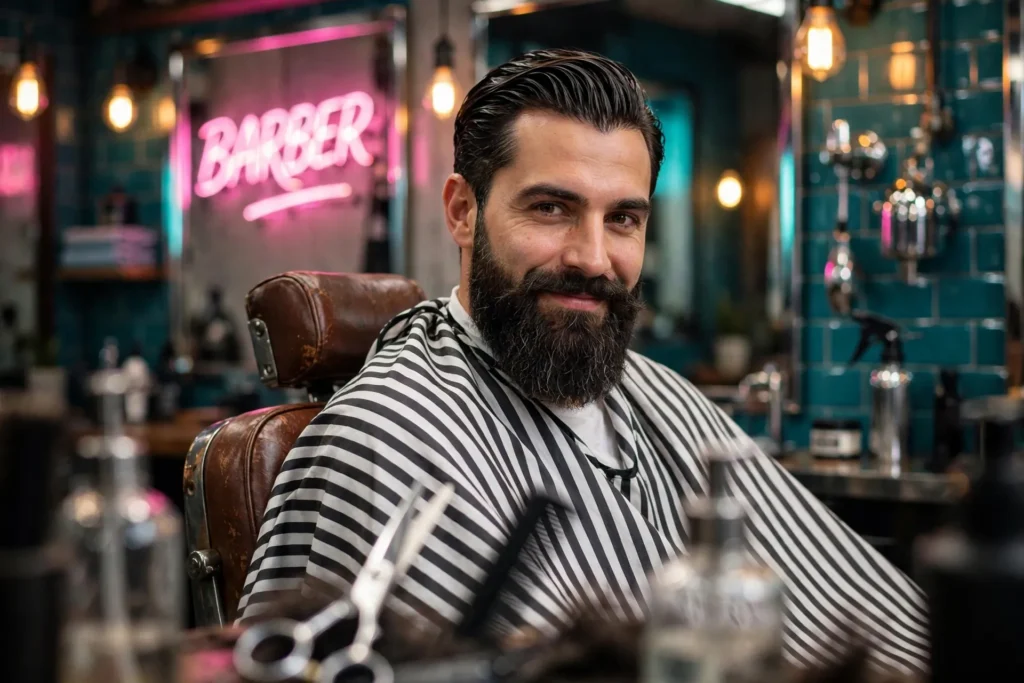
Looking for a copy-paste ready AI image prompt? Below is a complete, hand-crafted prompt for Neon Barbershop Portrait Prompt: Bearded Man in Vintage Chair, tuned for Flux. Just copy the prompt, paste it into Flux, and generate.
The Prompt
Stylish photorealistic portrait of a man in his mid-thirties with a meticulously groomed full beard and slicked-back hair, seated in a vintage leather barber chair, a striped barber cape around his shoulders. Behind him, a glowing pink neon sign and chrome fixtures reflect in large mirrors, tiled walls gleaming, warm tungsten practicals mixing with cool neon. He smirks confidently at the camera, barber tools artfully blurred in the foreground. Shot on a Sony A7 IV with a 35mm f/1.8 lens, shallow depth of field, retro palette of pink, teal and warm amber, crisp beard detail, playful masculine energy, environmental portrait composition, ultra-detailed, 8k, sharp focus, modern barbershop editorial photography.
Copy the prompt above and paste it directly into Flux — no editing needed.
Recommended Settings
- Best tool: Flux
- Aspect ratio: 3:2
Negative Prompt
blurry, low quality, watermark, distorted face, deformed hands, extra fingers, cartoon, text errors, flat lighting
Add the negative prompt above in Flux’s negative prompt field to avoid common artifacts.
How to Use This Prompt
- Copy — select the prompt text above and copy it.
- Paste into Flux — open Flux and paste the prompt into the prompt box.
- Set 3:2 — choose the 3:2 aspect ratio before generating.
- Generate and refine — run 2–3 variations and keep the best one.