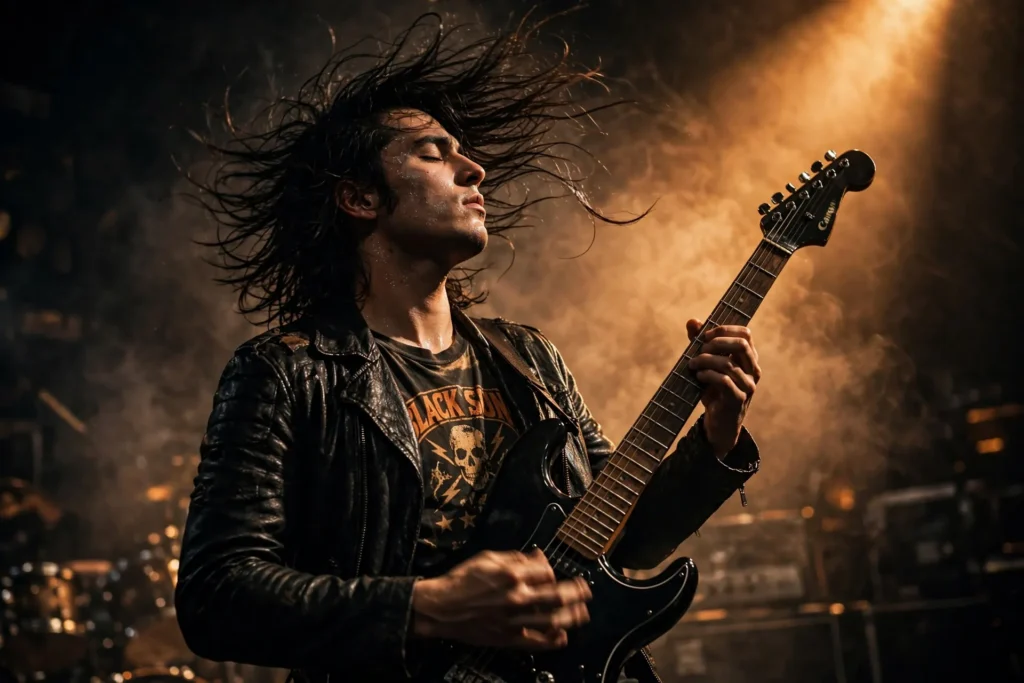
Looking for a copy-paste ready AI image prompt? Below is a complete, hand-crafted prompt for Stage Musician Portrait Prompt: Guitarist in Smoky Spotlight, tuned for Midjourney. Just copy the prompt, paste it into Midjourney, and generate.
The Prompt
Electrifying portrait of a male guitarist in his late twenties performing on a dark stage, caught mid-chord with his electric guitar angled upward, long dark hair whipping with motion. A single amber spotlight cuts through drifting stage smoke, outlining his silhouette while his face stays half in shadow, eyes closed in musical immersion. He wears a black leather jacket over a vintage band tee. Shot with a Canon EOS R3 and 85mm f/1.4 lens, frozen motion at high shutter speed, warm amber and deep black palette, glowing haze, sweat glistening on skin, shallow depth of field, concert photography energy, ultra-detailed, 8k, sharp focus, rock editorial mood.
Copy the prompt above and paste it directly into Midjourney — no editing needed.
Recommended Settings
- Best tool: Midjourney
- Aspect ratio: 3:2
Negative Prompt
blurry, low quality, watermark, deformed hands, extra fingers, distorted face, distorted guitar, flat lighting, cartoon, text
Add the negative prompt above in Midjourney’s negative prompt field to avoid common artifacts.
How to Use This Prompt
- Copy — select the prompt text above and copy it.
- Paste into Midjourney — open Midjourney and paste the prompt into the prompt box.
- Set 3:2 — choose the 3:2 aspect ratio before generating.
- Generate and refine — run 2–3 variations and keep the best one.