Looking for a copy-paste ready AI image prompt? Below is a complete, hand-crafted prompt for Artist Painter Portrait Prompt: Paint-Splattered Studio Session, tuned for Stable Diffusion XL. Just copy the prompt, paste it into Stable Diffusion XL, and generate.
The Prompt
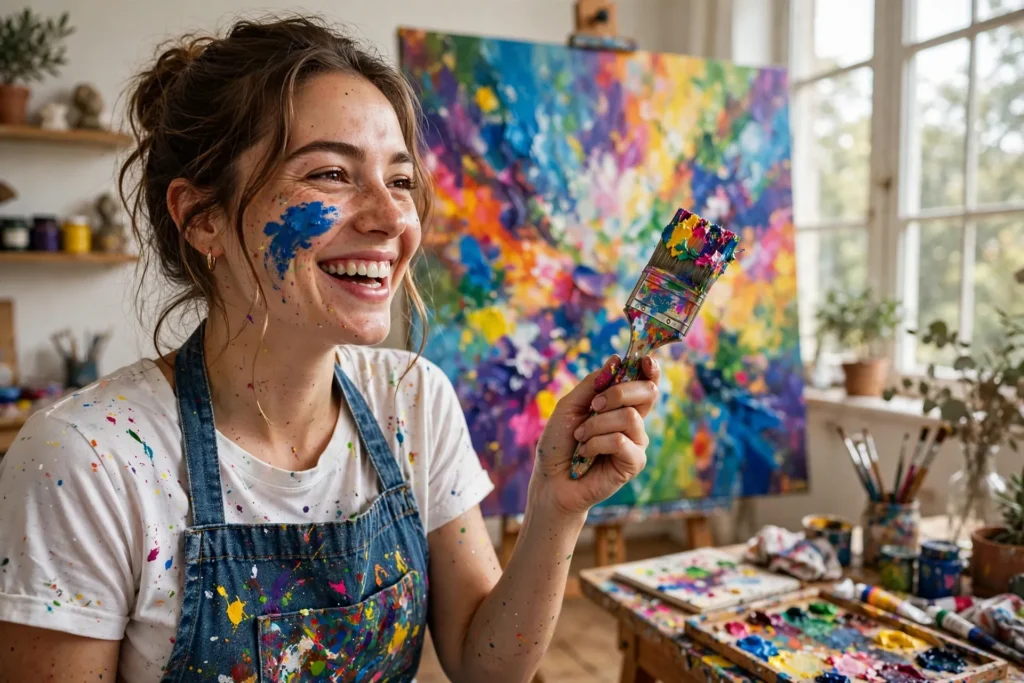
Vibrant photorealistic portrait of a female painter in her late twenties in a sun-filled art studio, a streak of cobalt paint across her cheek, wearing a denim apron splattered with rainbow pigments over a white tee. She holds a loaded brush mid-stroke, a large abstract canvas glowing with color behind her, north-facing window light soft and even. Shot on a Fujifilm GFX 100S look with a 63mm lens, rich saturated color, visible paint texture on skin and fabric, joyful creative energy in her expression, shallow depth of field, warm wood and white studio tones, environmental portrait composition, ultra-detailed, 8k, sharp focus, creative professional photography, inspiring and authentic mood.
Copy the prompt above and paste it directly into Stable Diffusion XL — no editing needed.
Recommended Settings

- Best tool: Stable Diffusion XL
- Aspect ratio: 3:2
Negative Prompt
blurry, low quality, watermark, distorted face, deformed hands, extra fingers, dull colors, messy composition, text
Add the negative prompt above in Stable Diffusion XL’s negative prompt field to avoid common artifacts.
How to Use This Prompt
- Copy — select the prompt text above and copy it.
- Paste into Stable Diffusion XL — open Stable Diffusion XL and paste the prompt into the prompt box.
- Set 3:2 — choose the 3:2 aspect ratio before generating.
- Generate and refine — run 2–3 variations and keep the best one.