Looking for a copy-paste ready AI image prompt? Below is a complete, hand-crafted prompt for Chef Portrait Prompt: Dramatic Kitchen Side Light, tuned for DALL-E 3. Just copy the prompt, paste it into DALL-E 3, and generate.
The Prompt
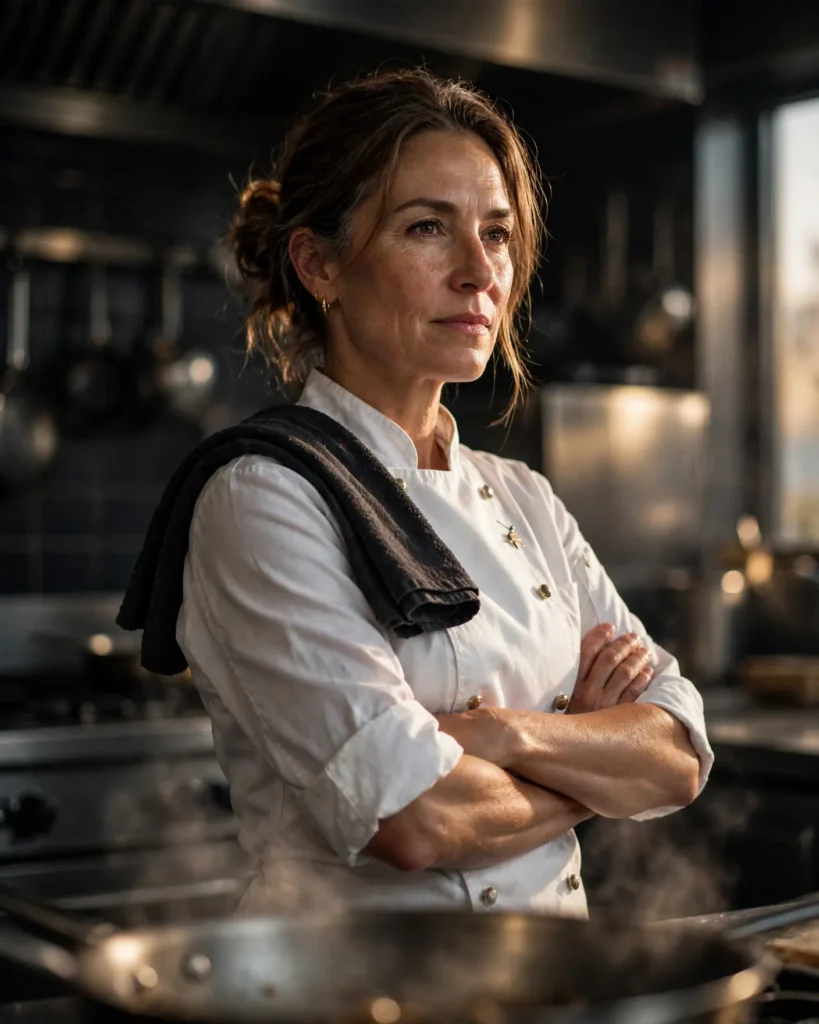
Photorealistic portrait of a confident female chef in her forties in a dark professional kitchen, arms crossed, wearing a crisp white double-breasted chef coat with rolled sleeves and a towel over one shoulder. Strong side light from a single window rakes across her face, steam rising softly from a pan blurred in the foreground, stainless steel surfaces catching warm highlights behind her. Shot on a Sony A7R V with a 50mm f/1.4 lens, shallow depth of field, detailed skin texture, determined calm expression, deep charcoal and warm amber palette, subtle film grain, three-quarter composition, ultra-detailed, 8k, sharp focus, editorial culinary portrait photography, authoritative and passionate mood.
Copy the prompt above and paste it directly into DALL-E 3 — no editing needed.
Recommended Settings
- Best tool: DALL-E 3
- Aspect ratio: 4:5
Negative Prompt
blurry, low quality, watermark, distorted face, deformed hands, extra fingers, flat lighting, cartoon, text errors
Add the negative prompt above in DALL-E 3’s negative prompt field to avoid common artifacts.
How to Use This Prompt
- Copy — select the prompt text above and copy it.
- Paste into DALL-E 3 — open DALL-E 3 and paste the prompt into the prompt box.
- Set 4:5 — choose the 4:5 aspect ratio before generating.
- Generate and refine — run 2–3 variations and keep the best one.