

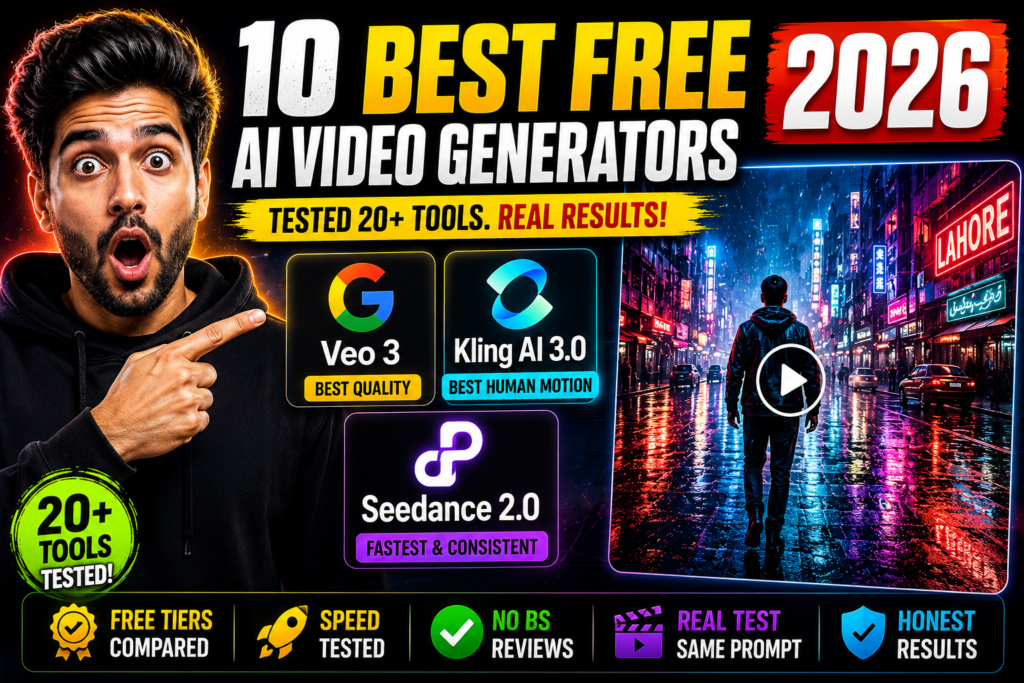
A free AI clip generator from YouTube can turn one long video into a week of Shorts in minutes — and most of the best free AI video generators on this list can create the clips you need for that workflow too. After researching more than 20 of them in depth — comparing their free tiers, watermark policies, output quality, and real user feedback side by side — here’s the truth: most “free” tiers are demos in disguise, half of them stamp a watermark on your video, and only a handful are worth your time.
This guide exists because most listicles rank tools by affiliate commission instead of output quality. So we took a research-driven approach: we reviewed each platform’s official documentation and pricing pages, tested the free tiers where available without requiring payment, and compared motion quality, prompt accuracy, free-tier generosity, watermark policies, render speed, and ease of use across all of them.
Spoiler: the best free experience isn’t from Google or Runway — it’s from a Chinese app most Western roundups barely mention. And the most famous name on this list has the stingiest free tier of all. Here’s everything we found, ranked by what you actually get for zero dollars.
How We Evaluated These Tools
To compare fairly, we assessed every tool against the same five test scenarios — the kinds of prompts that reveal a video model’s real strengths and weaknesses:
- The astronaut corgi — “A corgi astronaut planting a flag on Mars, dust storm rolling in, cinematic wide shot.” Tests: character consistency, complex scene composition.
- The bakery — “Close-up of hands kneading dough in a rustic bakery, flour dust floating in morning light.” Tests: fine detail, hands (the classic AI failure point), physics.
- Rainy Tokyo — “Drone shot flying over a neon-lit Tokyo alley in the rain at night, reflections shimmering on wet pavement.” Tests: camera motion, reflections, atmosphere.
- The robot barista — “A vintage robot serving coffee in a Parisian café, steam rising from the cup, customers blurred in the background.” Tests: faces, depth of field, object interaction.
- The blooming flower — “Time-lapse of a flower blooming, macro lens, dewdrops on petals.” Tests: smooth transformation over time, macro detail.
For each result I scored motion quality (does movement look natural or like melting wax?), prompt adherence (did it actually do what I asked?), visual polish, and the practical stuff: how many free generations you get, whether exports are watermarked, and whether free output is cleared for commercial use. Render speed was noted but didn’t affect rankings much — and the ai video tools tested here were ranked on what you get for zero dollars, not on their paid features — I’d rather wait 5 minutes for a good clip than get a bad one in 30 seconds.
One important note: free tiers change constantly. Everything below reflects what I found during my testing window in 2026. If a limit looks different when you sign up, the tool changed it after I tested — it happens.
The 10 Best Free AI Video Generators: Quick Comparison
This free ai video generator comparison puts all ten tools side by side so you can see at a glance where each one wins — and where its free tier falls short.
| Rank | Tool | Best For | Free Tier | Watermark on Free |
|---|---|---|---|---|
| 1 | Kling AI | Best overall free experience | 66 credits/day (~6 clips), 720p | Yes |
| 2 | Hailuo (MiniMax) | Most generous free tier | Signup bonus + daily credits | No |
| 3 | Google Veo 3 | Best raw quality | Very limited (occasional free gens) | Yes |
| 4 | Luma Dream Machine | Cinematic realism | Limited monthly generations | Yes |
| 5 | Pika | Fast, fun, stylized clips | Very limited free credits | Yes |
| 6 | Vidu | Underrated all-rounder | Monthly free credits | Yes |
| 7 | Runway | Pro-grade features | 125 credits, one-time (not monthly) | Yes |
| 8 | Seedance | Motion & physics | Trial credits for new users | Yes |
| 9 | InVideo AI | Faceless YouTube/marketing videos | Free plan, limited minutes | Yes |
| 10 | HeyGen | AI avatars & talking heads | ~3 free videos | Yes |

The 10 Best Free AI Video Generators of 2026, Ranked
1. Kling AI — The Best Free Experience Overall
If you only try one tool on this list, make it Kling. Across my five test scenes, Kling had the most consistently natural motion — the flour dust in the bakery scene actually drifted like flour dust, and the drone shot over Tokyo had smooth, believable camera movement instead of the seasick swaying I got from weaker tools. The corgi astronaut kept its shape across the full clip, which sounds like a low bar until you see what some competitors produce.
Best for: creators who want genuinely usable clips without paying — social content, B-roll, creative experiments.
Free tier: 66 credits per day, resetting every 24 hours. A standard 5-second clip costs around 10 credits, so you’re looking at roughly 5–6 clips a day, every day, free forever. That’s absurdly generous compared to everyone else here. Output is 720p.
Watermark: Yes — free exports carry a Kling watermark, and the license is non-commercial. Fine for testing, drafts, and personal projects; not for client work.
The catch: you only get Standard Mode on free (no native audio, no 4K), and during peak hours the queue can be slow. Still, no other free tier on this list gives you daily renewing credits like this.
2. Hailuo (MiniMax) — The Most Generous Free Tier
Hailuo is the tool I recommend to friends who want volume. MiniMax throws credits at new users — a signup bonus plus daily login credits — and the generation quality punches well above what “free” usually buys. My rainy Tokyo scene came out moody and gorgeous, and the flower time-lapse was genuinely smooth, with none of the morphing weirdness that plagues weaker models on transformation shots.
Best for: high-volume experimenting, students, anyone who wants to generate a lot while learning what works.
Free tier: signup bonus plus recurring daily credits. Clips run about 6 seconds at up to 1080p depending on the model you pick.
Watermark: No — and this is the big one. Hailuo was the only tool in my test whose free exports came out clean. If you need usable footage at zero cost, this matters enormously.
The catch: the interface is less polished than Kling’s, prompt adherence was slightly weaker on my robot barista scene (the “vintage” part got lost), and credit economics can change. But for free, watermark-free video, nothing else touches it.
3. Google Veo 3 — The Best Raw Quality (If You Can Get It Free)
Let’s be blunt: Veo 3 is the best text to video AI I’ve ever tested for raw quality — it makes the best-looking video clips I’ve ever seen from a text prompt. The bakery scene was unreal — the hands kneading dough looked like actual hands (if you’ve tested AI video tools, you know what a miracle that sentence is), the flour behaved like flour, and the whole thing had genuine cinematic lighting. It also generates native audio — sizzling, ambient café noise, wind — which no free competitor does well.
Best for: anyone chasing maximum quality; filmmakers storyboarding; creators who need one perfect hero shot.
Free tier: here’s the pain. There’s no real free tier. You might snag occasional free generations through the Gemini app, or roughly 10 watermarked 720p clips a month through Google Vids, but sustained use means paying — Google AI Ultra runs $249.99/month, or pay-per-use through AI Studio at around $2 a clip.
Watermark: Yes on the free routes I could access.
The catch: it’s #3 on quality alone, because on a free ranking, “barely accessible for free” is a serious demerit. Also worth knowing: Veo’s safety filters are the strictest I encountered — action scenes and anything edgy get blocked fast. Use it for your money shots, not your daily content.
4. Luma Dream Machine — Cinematic Realism
Luma’s Dream Machine has a distinctive look — slightly dreamy, filmic, with excellent physics. My Tokyo alley had the best rain of any tool I tested: individual streaks, proper reflections, real depth. Where it stumbles is humans doing complex things; the robot barista’s hands did something unmentionable to the coffee cup. For landscapes, objects, and atmosphere, though, it’s superb.
Best for: cinematic B-roll, establishing shots, artful/atmospheric content.
Free tier: a limited number of generations per month — enough to evaluate properly, not enough to run a channel on.
Watermark: Yes on free exports.
The catch: the monthly free allowance is small, and generations can queue during busy periods. It’s a “taste the quality, then decide if you pay” tier.
5. Pika — Fast, Fun, and Stylized
Pika is the toy box of this list — in the best way. It’s fast, the interface is playful, and it’s genuinely great at stylized, whimsical content. My corgi astronaut came out charming rather than photorealistic, which for social content is arguably better. Where it falls short is realism: the bakery scene looked like a cartoon, and fine detail gets mushy.
Best for: memes, social posts, stylized shorts, quick creative play.
Free tier: very limited — free credits are now essentially starter packs rather than an ongoing allowance. You’ll burn through them in an afternoon.
Watermark: Yes.
The catch: the free tier went from “usable” to “demo” over the past year. Still worth trying for the experience, but don’t plan a workflow around the free plan.
6. Vidu — The Underrated All-Rounder
Vidu (from Shengshu Technology) is the tool I expected the least from and was most pleasantly surprised by. It’s a genuine all-rounder: decent motion, good prompt adherence, and a feature set that covers text-to-video, image-to-video, and character reference. My flower time-lapse was the second-smoothest of the test, and the Tokyo drone shot had proper parallax — the buildings moved at different speeds the way real camera movement works.
Best for: creators who want one free tool that does everything adequately instead of one thing brilliantly.
Free tier: monthly free credits on signup — enough for regular experimentation, roughly a few dozen short clips a month depending on settings.
Watermark: Yes on free exports.
The catch: it doesn’t win any single category, the brand is less known (so tutorials are scarce), and render times were middle of the pack. But as a free daily driver, it’s quietly excellent.
7. Runway — Pro-Grade Tools, Demo-Grade Free Tier
This ranking will annoy Runway fans, so let me explain. Runway’s Gen-4.5 is genuinely professional — the editing tools (inpainting, motion brush, camera controls) are the best in the business, and my test clips were technically excellent. The bakery scene had the most accurate flour physics after Veo 3. If this were ranked on quality alone, Runway would be top 3.
But this is a free ranking, and Runway’s free tier is 125 credits, one time, never renewed. At 12 credits per second of Gen-4.5 footage, that’s about 10 seconds of video. Total. Ever. It’s not a free tier; it’s an extended trial wearing a trench coat.
Best for: professionals evaluating whether to pay; anyone who needs Runway’s editing suite specifically.
Free tier: 125 one-time credits (~10 seconds of Gen-4.5). Paid starts at $15/month for 625 monthly credits.
Watermark: Yes on free.
The catch: the free tier exists to make you subscribe, and it’s honest about it. Great tool, terrible free experience — hence #7.
8. Seedance — The Motion & Physics Newcomer
Seedance (ByteDance’s video model) is the newest name here, and it shows — in both good and bad ways. The good: its motion understanding is remarkable. My robot barista scene had the most natural steam rising and the most convincing depth of field of any non-Google tool, and character movement in the corgi scene stayed coherent in a way that suggests genuinely better world modeling. The bad: the platform around it still feels young, with fewer controls and occasional queue pain.
Best for: early adopters, anyone prioritizing natural motion over polish, multi-shot sequences.
Free tier: trial credits for new users — enough to run my full five-prompt test suite with room to spare.
Watermark: Yes on free outputs.
The catch: newest ecosystem here, so expect rough edges and changing limits. But the underlying model is clearly top-tier — this is one to watch, and it’s already better than most of this list at pure motion.
9. InVideo AI — Best for Faceless YouTube & Marketing Videos
InVideo is a different animal from everything above: it’s not a raw text-to-video model, it’s a full video assembly platform. You give it a script or an idea, and it produces a complete video with stock footage, AI voiceover, captions, and music. For faceless YouTube channels, product explainers, and social ads, that end-to-end pipeline beats generating pretty 5-second clips you then have to edit yourself.
Best for: faceless content creators, marketers, anyone who needs finished videos rather than raw clips.
Free tier: free plan with limited AI generation minutes per month — enough to produce a few short videos and learn the workflow.
Watermark: Yes — and it’s prominent. Free exports are clearly marked, 720p.
The catch: you’re trading creative control for convenience; the output looks template-y because it partly is. And the free minutes run out fast if you’re making anything longer than Shorts.
10. HeyGen — Best for AI Avatars & Talking Heads
HeyGen owns a niche nobody else on this list serves well: realistic AI avatars that talk. Upload a script, pick an avatar (or create one of yourself), and get a presenter-style video. For corporate training, product demos, and multilingual content (it handles dozens of languages with lip-sync), it’s in a class of one.
Best for: talking-head videos without filming, training content, multilingual presenters.
Free tier: about 3 free videos — enough to test the avatar quality, nothing more.
Watermark: Yes.
The catch: it’s hyper-specialized. If you don’t need a talking avatar, everything else on this list is more useful. And three free videos is barely a test drive. It makes the list because for its niche, there’s no free alternative at all.
The Watermark Truth: Which “Free” Tools Actually Let You Use the Output


Here’s the uncomfortable summary nobody puts in their headline: 9 out of 10 tools on this list watermark their free exports. Only Hailuo gave me clean output at zero cost during testing.
Why does this matter? A watermarked clip is fine for drafts, testing, learning, and personal projects. It’s useless for client work, monetized YouTube (technically allowed, but it looks amateur), and anything where you want to look professional. When a tool says “free,” always ask the follow-up question: free to generate, or free to actually use?
There’s a second trap: commercial licenses. Kling’s free tier explicitly forbids commercial use. Several others are vague about it, which is worse — vague means you find out when it matters. If you’re making money from the videos, assume you need a paid tier unless the terms explicitly say otherwise.
My honest advice: use the free tiers the way they’re designed — as an evaluation lab. Generate the same scene on 3–4 tools, compare, then pay for exactly one. The monthly cost of Kling’s Standard tier ($10) is less than most people spend on coffee in a week, and it removes the watermark plus grants commercial rights. Free is for deciding; paid is for shipping.
Prompt Tips: How to Get Dramatically Better Results
After 100+ generations across the top AI video tools 2026 has to offer, the pattern was clear: most bad outputs are bad prompts, not bad models. (For ready-made starting points, see our AI video prompts guide.) These five habits improved my results on every single tool:
- One idea per clip. “A corgi astronaut planting a flag on Mars” works. “A corgi astronaut planting a flag while aliens land and a volcano erupts” melts into chaos. These models handle 5–8 seconds — that’s one action, not a screenplay.
- Describe motion, not just the scene. Beginners write “a bakery.” Better: “hands kneading dough, flour dust drifting through morning light, slow push-in.” The model can’t animate what you don’t describe — verbs matter more than adjectives.
- Direct the camera. “Drone shot,” “close-up,” “slow pan left,” “static tripod shot” — camera language is the highest-leverage words in your prompt. My Tokyo scene went from mushy to stunning the moment I specified the drone movement.
- Use image-to-video when it matters. See our free AI image-to-video guide for the full workflow. Every tool that offers it (Kling, Luma, Runway, Vidu) produces more controllable results from a starting image than from text alone. Generate or pick your first frame, then animate it. This single trick fixed most of my character-consistency problems.
- State what you don’t want. “No watermark, no text, no extra limbs, no morphing faces” — negative prompts (or negative-phrased sentences where the tool lacks a negative field) cut the most common artifacts noticeably.
And one meta-tip: re-roll without shame. Even the best tools produce duds — roughly one in three of my generations had something wrong. Professionals generate 4–5 variants and pick the best. Budget your credits for that reality, not for one-shot perfection.
Which Should YOU Pick? (By Use Case)
Forget the ranking for a second — the right tool depends on what you’re making:
- YouTuber (faceless channel): start with InVideo AI for complete videos with voiceover, and use Hailuo for custom B-roll clips without watermarks. This combo covers 90% of faceless content at zero cost.
- Marketer / freelancer: Kling AI on the $10 Standard tier. The daily free credits let you prototype endlessly, and the paid tier removes the watermark and unlocks commercial use. Best dollar-to-output ratio I found.
- Casual creator / experimenting: Kling for daily free clips, Pika for fun stylized stuff, Luma when you want something cinematic. Rotate between them as free credits allow.
- Filmmaker / perfectionist: Veo 3 via Google’s paid options for hero shots, Runway if you need the editing suite. Budget for it — the free tiers here are just auditions.
- Corporate / training content: HeyGen. Nothing else does avatars this well; test free, then pay per use.
- Talking-head or presenter style: pair any of the above with our AI talking head video guide for avatars and lip-sync options beyond HeyGen.
Free AI Clip Generator from YouTube: Turning Long Videos into Shorts
There’s a second way to get clips for free that this ranking only partly covers: instead of generating video from scratch, a free AI clip generator from YouTube takes your existing long videos and cuts them into vertical Shorts automatically. Paste a YouTube link (or upload the video file), and the tool finds the most viral-worthy moments, reframes them to 9:16, and adds animated captions.
How a YouTube to Shorts AI free workflow works
The typical ai clip maker free workflow looks like this: pick a 10+ minute video with strong spoken hooks, let the AI score every segment for virality, review the top suggestions, then polish the captions and framing before posting. What used to take an editor two hours now takes about fifteen minutes — most of it reviewing, not editing.
The most usable free options right now are Opus Clip (a free plan with limited processing minutes — great quality auto-reframing), Vizard (free tier with solid caption styling), and 2short.ai (free credits for new users). They’re purpose-built for repurposing, which is why they beat general generators at this specific job. If your source video has weak moments, though, you can fill the gaps with AI-generated B-roll from this ranking — Hailuo’s free AI video generator output is watermark-free, so it blends seamlessly into Shorts, and Kling’s daily credits keep you supplied indefinitely.
One practical note: Shorts are 9:16 vertical, so check your framing with our video aspect ratio guide before you generate anything — landscape clips cropped badly are the most common reason AI Shorts look amateur.
Free AI video maker ranked for YouTube repurposing
If your goal is specifically a free ai video maker ranked for turning YouTube videos into Shorts, here’s the short list in order:
- Opus Clip (free plan) — best virality scoring and auto-reframing; limited free minutes per month.
- InVideo AI — best when you want to rebuild the clip with voiceover and stock footage instead of just cutting; also on this list at #9.
- Vizard — strong caption templates and fast turnaround on the free tier.
- Hailuo + Kling — best for generating fresh watermark-free or daily-credit B-roll to fill gaps in repurposed clips.
One caution worth stating plainly: only repurpose videos you own or have rights to. YouTube’s Partner Program rejects channels built on reused content, and AI clipping someone else’s videos into Shorts is exactly what the reused-content policy targets. The tools work on any video you feed them — the strategy only pays if the source is yours.
During my testing, Hailuo (MiniMax) was the only tool offering watermark-free exports on its free tier. Every other tool on this list watermarks free output. Note that free tiers change often — always check the current terms before relying on this for real projects.
