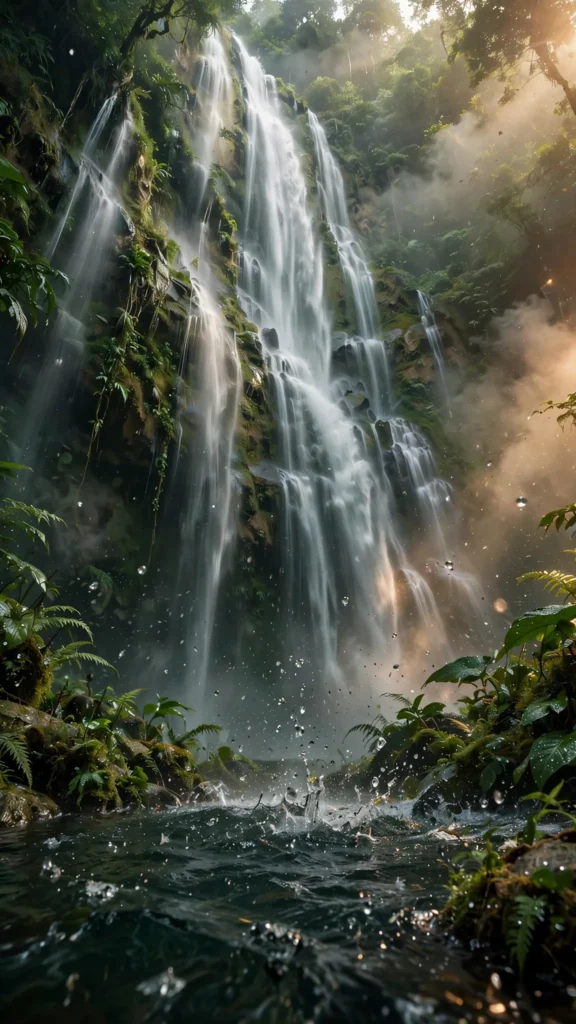
Looking for a copy-paste ready AI video prompt? Below is a complete, hand-crafted prompt for Misty Waterfall in Slow Motion Through a Lush Rainforest, tuned for Kling. Just copy the prompt, paste it into Kling, and generate.
The Prompt
A towering waterfall plunges in dramatic slow motion down a moss-covered cliff in a dense tropical rainforest, silky water ribbons catching shafts of soft green-filtered sunlight. Vertical 9:16 framing, camera low at the plunge pool with a 35mm lens, slow upward tilt following the falling water. Mist rises and drifts across the frame, droplets sparkle in backlight, ferns and broad leaves sway at the edges. Mood is powerful yet serene, colors deep emerald green with white foam highlights and warm light leaks. Photorealistic high-speed capture detail, crisp water texture, natural slow-motion physics, cinematic 8K quality, vertical composition with the falls filling the upper two-thirds.
Copy the prompt above and paste it directly into Kling — no editing needed.
Recommended Settings

- Best tool: Kling
- Aspect ratio: 9:16
- Duration: 10s
- Camera movement: slow upward tilt from plunge pool to cliff top
- Motion: Water cascades in silky slow motion; mist swirls and rises; backlit droplets scatter; rainforest leaves tremble in the spray breeze.
- Transitions: single continuous shot, no cuts
Negative Prompt
stuttering motion, blurry water, watermark, text, people, artificial effects, dark muddy colors, low resolution, cartoon style
Add the negative prompt above in Kling’s negative prompt field to avoid common artifacts.
How to Use This Prompt

- Copy — select the prompt text above and copy it.
- Paste into Kling — open Kling and paste the prompt into the prompt box.
- Set 9:16 — choose the 9:16 aspect ratio before generating.
- Generate and refine — run 2–3 variations and keep the best one.