Looking for a copy-paste ready AI video prompt? Below is a complete, hand-crafted prompt for Inside a Glowing Blue Ice Cave, tuned for Veo 3. Just copy the prompt, paste it into Veo 3, and generate.
The Prompt
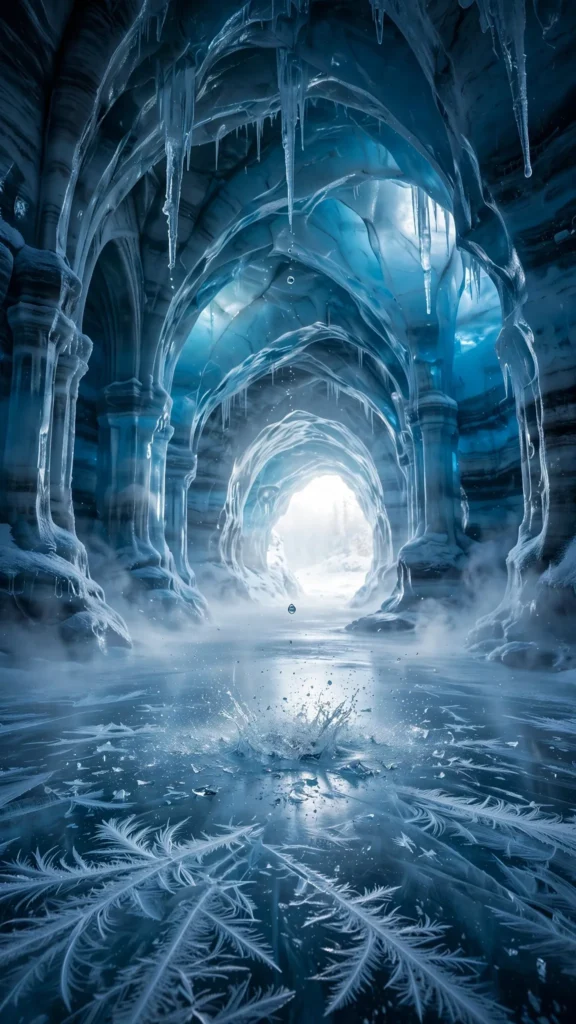
Inside a cathedral-like ice cave, walls of ancient blue ice glow from within as daylight filters through, icicles dripping steadily onto a glassy frozen floor. Vertical 9:16, 24mm wide lens, camera creeps forward slowly through the cave's curved throat. Light pulses softly through the ice walls, droplets fall and shatter into tiny crystals, frost feathers spread across the floor, the cave mouth glows brilliant white ahead, cold mist breathes through the chamber. Mood is otherworldly and still, palette of deep sapphire, ice cyan and pure white. Photorealistic cinematic footage, natural light-through-ice behavior, crisp 8K detail, vertical framing with the glowing exit ahead.
Copy the prompt above and paste it directly into Veo 3 — no editing needed.
Recommended Settings
- Best tool: Veo 3
- Aspect ratio: 9:16
- Duration: 13s
- Camera movement: slow creep forward through the cave's curved throat toward the glowing exit
- Motion: Light breathes through the ice walls; droplets fall and shatter; frost spreads; cold mist drifts through the chamber.
- Transitions: single continuous shot, no cuts
Negative Prompt
people, watermark, text, dark muddy cave, blurry ice, cartoon cave, artificial glow, low resolution
Add the negative prompt above in Veo 3’s negative prompt field to avoid common artifacts.
How to Use This Prompt

- Copy — select the prompt text above and copy it.
- Paste into Veo 3 — open Veo 3 and paste the prompt into the prompt box.
- Set 9:16 — choose the 9:16 aspect ratio before generating.
- Generate and refine — run 2–3 variations and keep the best one.