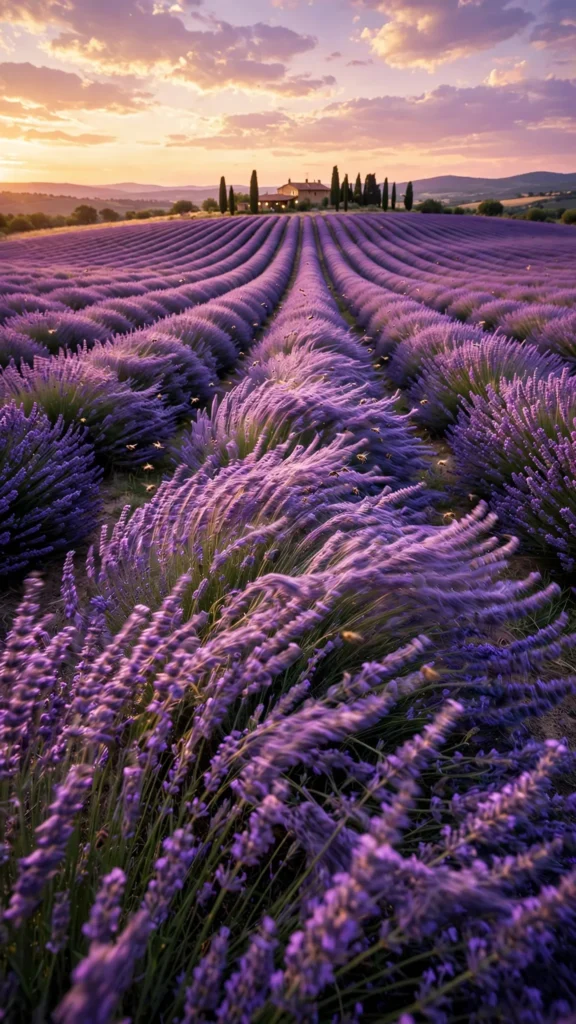
Looking for a copy-paste ready AI video prompt? Below is a complete, hand-crafted prompt for Lavender Field in Full Bloom — Drone Glide at Sunset, tuned for Veo 3. Just copy the prompt, paste it into Veo 3, and generate.
The Prompt
Endless rows of lavender in full purple bloom stretch to the horizon as a drone-style camera glides low over the flowers at sunset, petals rippling in waves across the field. Vertical 9:16, 30mm lens, camera moves forward just above the blooms with a gentle side sway. Flower waves roll toward the camera, bees drift lazily between rows, a farmhouse and cypress trees sit on the distant ridge, the sky melts from gold to lavender-pink. Mood is dreamy and romantic, palette of violet, warm gold and soft pink. Photorealistic aerial-style cinematography, natural wind physics on the flowers, crisp 8K detail, vertical framing with the rows leading to the horizon.
Copy the prompt above and paste it directly into Veo 3 — no editing needed.
Recommended Settings
- Best tool: Veo 3
- Aspect ratio: 9:16
- Duration: 12s
- Camera movement: low forward glide just above the blooms with a gentle lateral sway
- Motion: Flower waves ripple across the field; bees drift between rows; distant trees sway; sunset colors deepen across the sky.
- Transitions: single continuous shot, no cuts
Negative Prompt
people, cars, watermark, text, wilted flowers, blurry field, cartoon lavender, artificial colors, low resolution
Add the negative prompt above in Veo 3’s negative prompt field to avoid common artifacts.
How to Use This Prompt

- Copy — select the prompt text above and copy it.
- Paste into Veo 3 — open Veo 3 and paste the prompt into the prompt box.
- Set 9:16 — choose the 9:16 aspect ratio before generating.
- Generate and refine — run 2–3 variations and keep the best one.