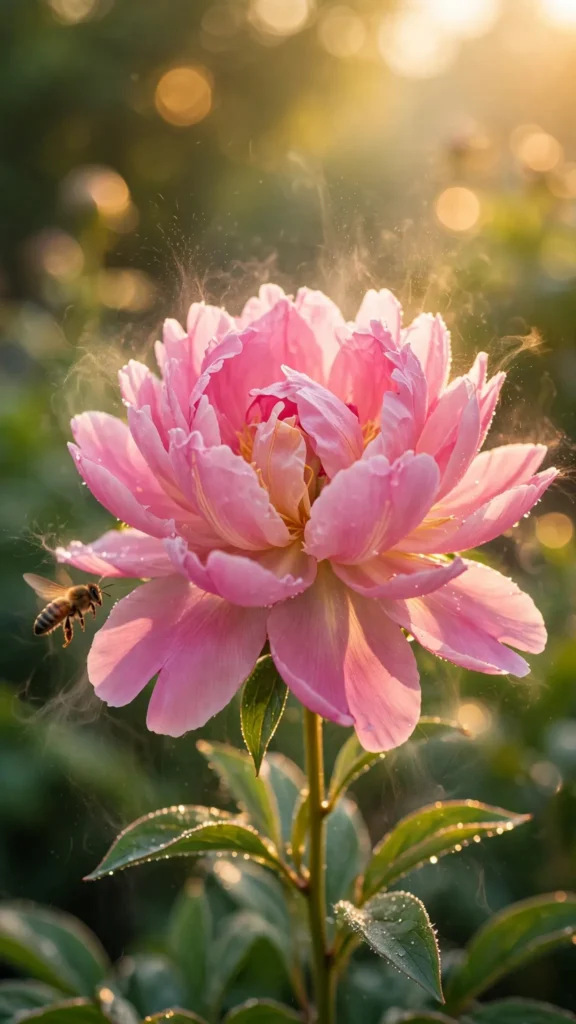
Looking for a copy-paste ready AI video prompt? Below is a complete, hand-crafted prompt for Flower Blooming in Timelapse — Petals Opening to Morning Light, tuned for Runway. Just copy the prompt, paste it into Runway, and generate.
The Prompt
A vivid pink peony blooms in smooth timelapse motion, petals unfurling one by one as golden morning light washes over it, morning dew evaporating in tiny sparkling wisps. Vertical 9:16, 60mm macro lens, camera fixed at a slight low angle with a feather-slow push-in. Petals open gracefully, the flower head sways almost imperceptibly, a bee lands briefly on an outer petal and lifts away, background garden blurs into soft green and gold bokeh. Mood is hopeful and delicate, palette of blush pink, warm gold and fresh green. Photorealistic timelapse cinematography, crisp petal vein detail, natural growth motion, cinematic 8K, vertical frame centered on the bloom.
Copy the prompt above and paste it directly into Runway — no editing needed.
Recommended Settings

- Best tool: Runway
- Aspect ratio: 9:16
- Duration: 11s
- Camera movement: fixed macro position with a very slow push-in as the bloom opens
- Motion: Petals unfurl in smooth timelapse; dew wisps rise and fade; a bee lands and departs; the bloom sways gently in morning air.
- Transitions: single continuous shot, no cuts
Negative Prompt
jerky timelapse, watermark, text, wilted flower, plastic look, artificial lighting, blurry petals, cartoon flower, low resolution
Add the negative prompt above in Runway’s negative prompt field to avoid common artifacts.
How to Use This Prompt

- Copy — select the prompt text above and copy it.
- Paste into Runway — open Runway and paste the prompt into the prompt box.
- Set 9:16 — choose the 9:16 aspect ratio before generating.
- Generate and refine — run 2–3 variations and keep the best one.