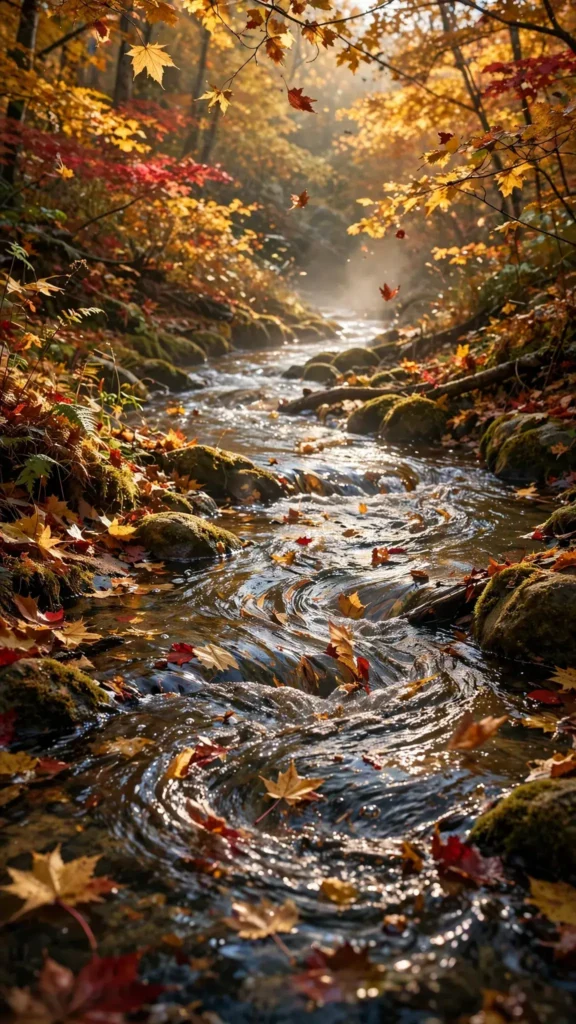
Looking for a copy-paste ready AI video prompt? Below is a complete, hand-crafted prompt for Autumn Stream Flowing Through a Golden Forest, tuned for Kling. Just copy the prompt, paste it into Kling, and generate.
The Prompt
A crystal stream winds through an autumn forest ablaze with gold and crimson, fallen leaves spinning and drifting on the current past mossy stones. Vertical 9:16, 35mm lens, camera glides slowly downstream at water level, weaving between the banks. Leaves spiral in eddies, a few detach from branches and flutter down, sunlight flickers through the canopy in dappled patches, mist lifts gently off the water. Mood is nostalgic and cozy, palette of amber, rust red and warm brown with sparkling water highlights. Photorealistic cinematic nature footage, natural water and leaf physics, crisp 8K detail, vertical framing following the stream's path.
Copy the prompt above and paste it directly into Kling — no editing needed.
Recommended Settings


- Best tool: Kling
- Aspect ratio: 9:16
- Duration: 12s
- Camera movement: slow downstream glide at water level, gently weaving with the stream's curve
- Motion: Leaves spin in eddies and drift downstream; new leaves flutter down from branches; dappled sunlight shifts; mist rises off the water.
- Transitions: single continuous shot, no cuts
Negative Prompt
bare trees, snow, watermark, text, people, blurry water, muddy colors, cartoon leaves, artificial lighting, low resolution
Add the negative prompt above in Kling’s negative prompt field to avoid common artifacts.
How to Use This Prompt
- Copy — select the prompt text above and copy it.
- Paste into Kling — open Kling and paste the prompt into the prompt box.
- Set 9:16 — choose the 9:16 aspect ratio before generating.
- Generate and refine — run 2–3 variations and keep the best one.