The Best Free AI Image Generator Tools of 2026
A free AI image generator turns a sentence into a finished image in seconds — thumbnails, blog headers, product mockups, social posts, or just art for fun. In 2026 the quality bar is remarkably high: free tools now produce images that would have required a paid subscription two years ago, and several of them work without any sign-up at all.
This guide compares the 10 best free AI image generators available in 2026, based on reported free allowances, image quality, and ease of use. Free limits change frequently, so treat every quota as a snapshot and check each tool’s current terms before planning a big project.
One thing that changed this year: the gap between free and paid quality has shrunk dramatically. Models like Imagen 4 and FLUX.1 — available through free tiers — produce results that rival premium tools from just a year ago. The real differences between free tools in 2026 are not about raw quality but about quotas, watermarks, sign-up friction, and specialties like text rendering or vector export. This guide is organized around exactly those differences, so you can pick the right free AI image generator for your specific need instead of settling for a one-size-fits-all list.
1. Gemini (Nano Banana) — Best Conversational Image Editing

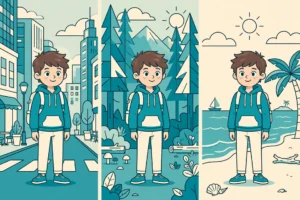
Google’s Gemini image model, known as “Nano Banana,” is built for conversational editing: you describe what you want changed in plain language and iterate on the same image. It is reported to handle text inside images unusually well — a task many generators still botch — and comes with a generous (though unpublished) free allowance.
Free tier: Generous free usage inside Gemini; generated images carry an invisible SynthID watermark. A “Nano Banana 2” iteration is also referenced in 2026 sources. Best for: editing existing images by chatting, and any image that contains readable text.
2. ImageFX (Imagen 4) — Best Free Image Quality
Google’s ImageFX, powered by Imagen 4, is frequently cited as the best free quality you can get in 2026. The interface is minimal — type a prompt, get images — and the output competes with paid tools on photorealism and detail.
Free tier: Around 10–15 images per day reported, with an invisible SynthID watermark. Best for: maximum quality per free generation.
3. Microsoft Designer (DALL-E 3) — Best for Unlimited Casual Use


Microsoft Designer’s image creator runs on DALL-E 3 and is one of the most generous free options: effectively unlimited standard-speed generations plus 15 fast “boosts” per day. Images carry a small Bing mark, and you need a free Microsoft account.
Free tier: Unlimited standard speed + 15 daily fast boosts; requires Microsoft account. Best for: high-volume casual generating without worrying about credits.
4. Ideogram 2.0 — Best for Text, Logos, and Typography
Ideogram 2.0 is the specialist pick: it renders text inside images better than almost anything else, making it the go-to free tool for logos, posters, thumbnails with titles, and typography-driven designs.
Free tier: Around 10 slow credits per day reported. Best for: any image where the words have to be spelled correctly.
5. Leonardo AI — Best Multi-Model Free Playground
Leonardo AI gives free users access to multiple models, including FLUX variants, plus canvas-style editing tools. It is the closest thing to a professional suite that still has a real free tier.
Free tier: About 150 fast tokens per day, which translates to roughly 15–35 images depending on settings. Best for: experimenting with different models and styles in one place.
6. Krea 2 — Best Real-Time Free Generation
Krea 2 focuses on speed and iteration, with real-time generation that updates as you type. It is popular with designers who want to explore variations quickly rather than waiting on a queue.
Free tier: Around 100 compute units per day, with no credit card required. Best for: fast iteration and live experimentation.
7. Recraft v3 — Best for Logos and Vector Design
Recraft v3 stands out with free SVG vector exports — a rare feature that matters enormously for logos and brand work, where you need infinitely scalable files rather than flat PNGs.
Free tier: Free plan includes vector (SVG) export capability. Best for: logos, icons, and design assets you will scale or edit later.
8. Perchance — Best Truly Unlimited, No Sign-Up
Perchance is the no-strings option: unlimited generations with no account required. The trade-off is a simpler interface and less cutting-edge models, but for pure volume and zero friction it is unmatched.
Free tier: Unlimited, no sign-up. Best for: bulk generation, brainstorming, and anyone who hates creating accounts.
9. Raphael AI — Best Free Photorealism, No Sign-Up
Raphael AI offers FLUX.1-class photorealistic generation with unlimited use and no sign-up required — a combination that makes it one of the strongest free options for realistic images in 2026.
Free tier: Unlimited, no sign-up. Best for: photorealistic images without accounts or credit limits.
10. Craiyon — Best Zero-Friction Classic
Craiyon (formerly DALL-E mini) is the veteran free generator: unlimited generations, no account, supported by ads, with a queue during busy times. Quality lags behind the newer models, but it never asks for anything.
Free tier: Unlimited with ads and occasional queues, no sign-up. Best for: quick fun generations with zero commitment.
Free AI Image Generator With No Sign-Up: The Full List
If you want a free AI image generator with no sign-up, your best bets in 2026 are:
- Perchance — unlimited, no account.
- Raphael AI — FLUX.1 photorealism, unlimited, no account.
- Craiyon — unlimited, no account, ad-supported with queues.
- Stable Diffusion Online — browser-based Stable Diffusion, typically no account.
- DeepAI — quick generations with limited free use before sign-up prompts.
The no-signup tools trade cutting-edge quality for convenience. For your best-looking work, the account-based free tiers (ImageFX, Microsoft Designer, Ideogram 2.0) are worth the 30-second sign-up.
Free AI Image Generator Comparison: 10 Tools at a Glance
| Tool | Free plan (reported) | Sign-up needed? | Standout strength |
|---|---|---|---|
| Gemini (Nano Banana) | Generous free allowance | Yes (Google) | Conversational editing, text in images |
| ImageFX (Imagen 4) | ~10–15 images/day | Yes (Google) | Best free image quality |
| Microsoft Designer | Unlimited standard + 15 boosts/day | Yes (Microsoft) | Volume generating |
| Ideogram 2.0 | ~10 slow credits/day | Yes | Text, logos, typography |
| Leonardo AI | ~150 tokens/day (~15–35 images) | Yes | Multi-model playground |
| Krea 2 | ~100 compute units/day | Yes | Real-time iteration |
| Recraft v3 | Free plan incl. SVG export | Yes | Vector logos and design assets |
| Perchance | Unlimited | No | Zero friction bulk generation |
| Raphael AI | Unlimited | No | Free photorealism |
| Craiyon | Unlimited (ads, queues) | No | Zero-commitment fun |
Free plans are reported figures from 2026 sources and change frequently — verify on each tool’s pricing page.
Tips for Better AI Image Prompts
The tool matters, but the prompt matters more. Five techniques that consistently improve results across all of these generators:
- Be specific about style. “A coffee shop” is vague; “a cozy coffee shop interior, warm morning light, photorealistic, 35mm photo” gives the model something to work with.
- Name the composition. Mention framing (“close-up,” “wide shot,” “centered”), lighting (“soft studio light,” “golden hour”), and mood (“calm,” “dramatic”).
- Specify what to avoid. Many tools support negative prompts — use them for common defects (“no extra fingers, no blurry text, no watermark”).
- Iterate, don’t restart. On conversational tools like Gemini (Nano Banana) or ChatGPT‘s image mode, refine the same image with follow-up instructions instead of generating from scratch.
- Match the tool to the task. Need readable text? Use Ideogram 2.0. Need a scalable logo? Use Recraft v3’s SVG export. Need fifty variations fast? Use Microsoft Designer’s unlimited standard queue.
- Upscale your winners. Generate at standard resolution, then run only your favorite results through a free upscaler (ShaheerTools and others offer browser-based image upscaling). This keeps your credit burn low while delivering print-quality finals.
A final note on honesty: free tiers are marketing funnels, and quotas can tighten without warning. If you find a free AI image generator you love, generate your most important images early in the day when daily quotas reset, and keep a backup tool from this list ready for busy weeks.
Frequently Asked Questions
What is the best completely free AI image generator?
For quality, ImageFX (Imagen 4) and Microsoft Designer (DALL-E 3) lead the free tier in 2026 — Microsoft Designer is effectively unlimited at standard speed. For no-signup use, Perchance and Raphael AI offer unlimited generation without an account.
Can I use AI-generated images commercially?
It depends on the tool. Adobe Firefly is considered the safest for commercial use because it is trained on licensed content. Most other tools allow commercial use on paid plans, but free-tier terms vary — check each tool’s terms of service before using images in products or ads.
Which free AI image generator is best for logos?
Ideogram 2.0 for text-accurate logo concepts, and Recraft v3 for the critical final step: free SVG vector exports that scale cleanly for print and branding.
Do free AI image generators add watermarks?
Some do. Google’s tools (Gemini, ImageFX) embed an invisible SynthID watermark; Microsoft Designer adds a small visible Bing mark. The no-signup tools (Perchance, Raphael AI, Craiyon) typically do not watermark.
Is there a free AI image generator with no sign-up and no limits?
Perchance and Raphael AI come closest: both are reported to offer unlimited generation without requiring an account. Expect simpler interfaces and queues at peak times compared with account-based tools.
Final Verdict
The best free AI image generator in 2026 depends on your needs: use ImageFX or Gemini for top quality, Microsoft Designer for volume, and Perchance or Craiyon when you want text to image AI with no sign-up. For logos and text-heavy work, Ideogram 2.0 and Recraft v3 lead — every ai photo generator above has a free tier worth trying. Need to clean up a background? Try our free background remover, or get prompt help from our free AI chat.