Let me be honest with you right from the start.
Most “best free AI image generator” articles you find online were written by people who never actually tested these tools. They copy the same list, add affiliate links, and call it done.
This one is different.
We tested over 10 AI image generators in 2026 — checking image quality, daily limits, signup requirements, watermarks, and commercial use rights. The result is a guide you can actually trust.
Whether you need one quick image or hundreds of images at once, this list has exactly what you need.
What Makes an AI Image Generator Truly “Free” in 2026?
The word “free” gets thrown around a lot. But in 2026, free can mean very different things:
- Truly free — unlimited generations, no credit card, no daily cap
- Free tier — limited credits per day (10–150), resets every 24 hours
- Free trial — access for a few days, then requires payment
- Freemium — basic access free, but good features are paid
This guide focuses on tools that are genuinely usable without paying anything. We skipped anything that shows you a demo and then hits you with a paywall.
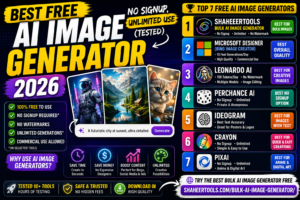
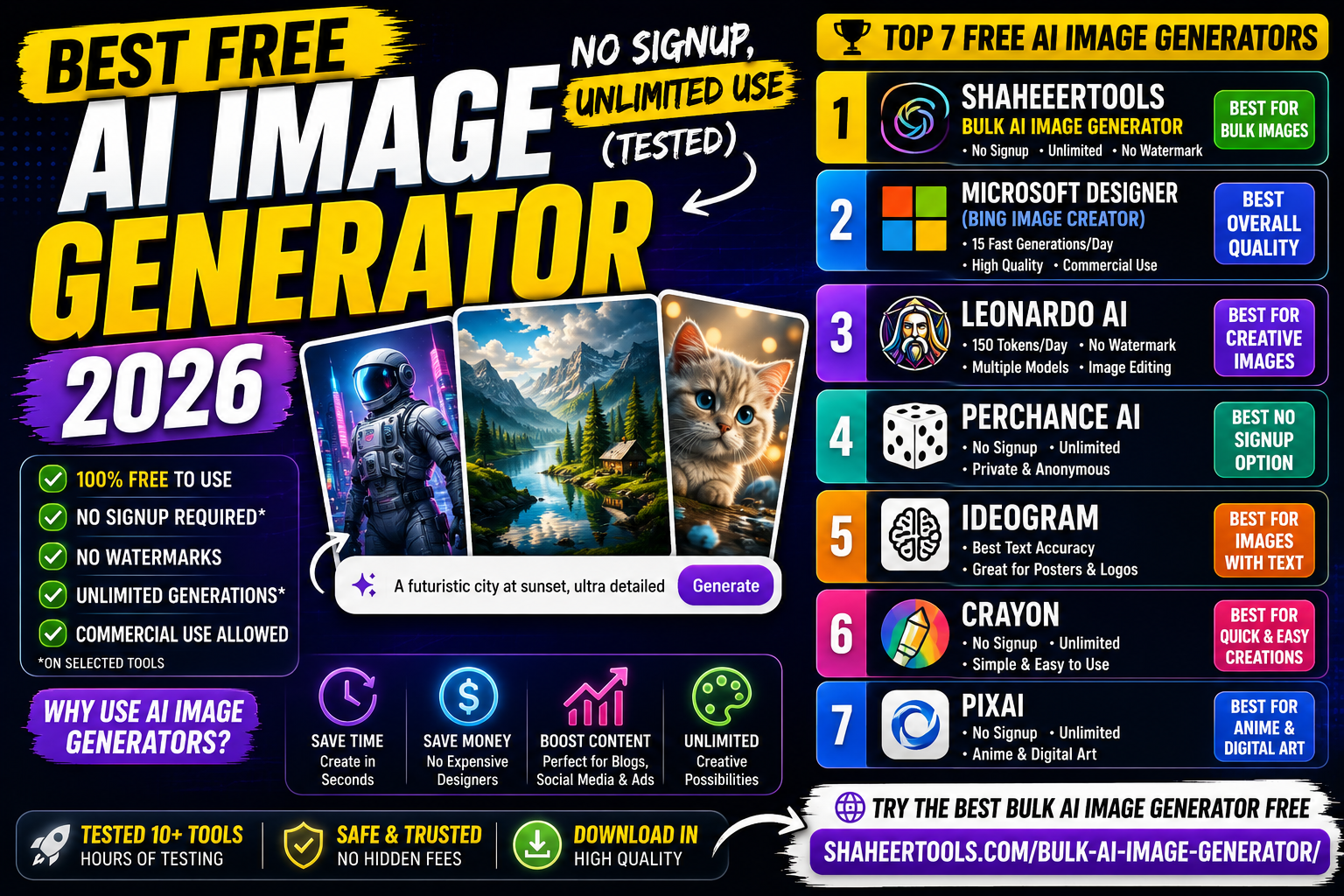
🏆 Top 7 Best Free AI Image Generators in 2026
1. ShaheerTools Bulk AI Image Generator — Best for Generating Multiple Images at Once
Free: Yes — 100% free, unlimited use
Signup required: No
Watermark: No
Best for: Bloggers, marketers, social media creators, eCommerce sellers
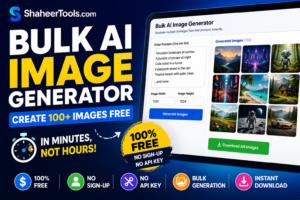
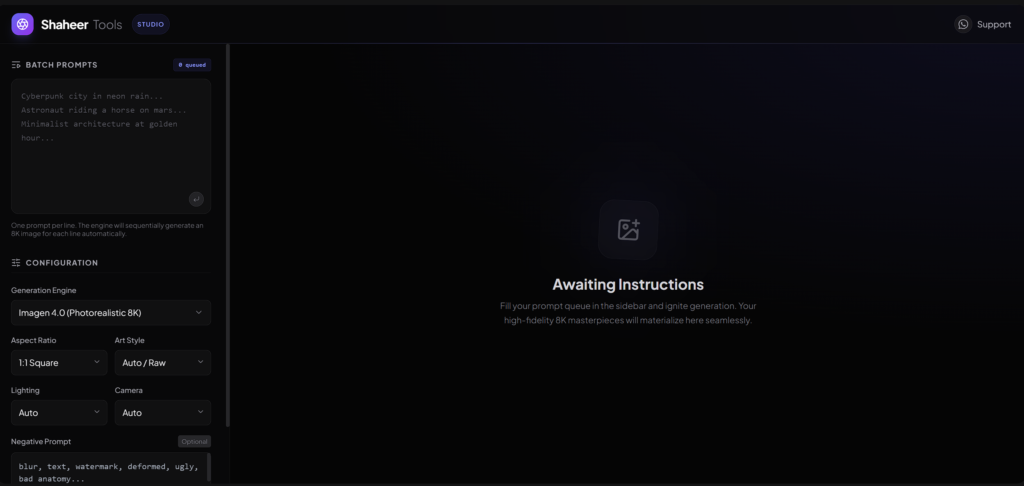
If you need to create multiple AI images quickly — without paying anything — ShaheerTools Bulk AI Image Generator is the best option available right now.
Most tools let you generate one image at a time. This tool lets you generate in bulk, which saves hours of work. Whether you need 10 images for a blog post or 100+ images for a social media campaign, it handles it all — for free, with no account required.
Why it stands out:
- Completely free with no hidden limits
- No signup or email required
- Bulk generation — create many images in one session
- No watermarks on downloaded images
- Works directly in your browser
→ Try ShaheerTools Bulk AI Image Generator Free
2. Microsoft Designer (Bing Image Creator) — Best Overall Quality for Free
Free: Yes
Signup required: Microsoft account (free to create)
Watermark: No
Daily limit: 15 fast generations per day, unlimited slow generations after
Best for: General use, social media posts, thumbnails
Microsoft Designer uses DALL-E 3 technology — the same model behind ChatGPT’s image generation. The quality is excellent for a free tool, and you get unlimited slow-speed generations after your 15 daily fast credits are used.
If you already have a Microsoft, Xbox, or Outlook account, you can start immediately. Commercial use is permitted on the free tier, which is a big advantage over many competitors.
Pros: High quality, no watermarks, commercial use allowed
Cons: Requires Microsoft account, limited fast generation slots per day
3. Leonardo AI — Best Free Tool for Creative and Stylized Images
Free: Yes
Signup required: Yes (free account)
Watermark: No
Daily limit: 150 tokens per day
Best for: Digital art, game assets, stylized illustrations, AI character generation
Leonardo AI offers one of the most generous free tiers of any high-quality AI image generator. With 150 daily tokens and access to multiple models including Flux, you can create a solid volume of images every day without spending anything.
The built-in canvas editor lets you edit and extend images within the free allowance — something most free tools don’t offer.
Pros: High daily limit, multiple model options, no watermarks, image editing included
Cons: Requires account creation, more complex interface for beginners
4. Perchance AI — Best Free Option with No Signup at All
Free: Yes — unlimited
Signup required: No
Watermark: No
Daily limit: None
Best for: Quick image generation, privacy-focused users, anime and stylized art
Perchance is one of the only tools that offers truly unlimited image generation with zero account required. Open the website, type your prompt, and generate — that’s it.
The image quality is not at the level of Leonardo or Microsoft Designer, but for quick content creation and high-volume needs, it delivers real value. It is particularly popular on Reddit communities for its privacy-respecting approach — no logging, no tracking, no sign-in.
Pros: No signup, unlimited, private, good for anime/stylized art
Cons: Lower image quality compared to premium models
5. Ideogram — Best for Images with Text Inside Them
Free: Yes
Signup required: Yes (free account)
Watermark: No
Daily limit: Limited free credits
Best for: Posters, logos, banners, thumbnails with readable text
If you have ever tried to add text inside an AI-generated image and ended up with garbled letters, Ideogram solves that problem. It is the best free tool in 2026 for generating images where text needs to be readable and accurate.
Perfect for creating promotional banners, YouTube thumbnails with text overlays, or social media graphics where the words matter as much as the visuals.
Pros: Best-in-class text rendering, clean interface, no watermarks
Cons: Limited free credits, account required
6. Craiyon — Best Unlimited No-Signup Option (Basic Quality)
Free: Yes — unlimited
Signup required: No
Watermark: No
Daily limit: None
Best for: Quick visual ideas, mood boards, style exploration
Craiyon (formerly known as DALL-E mini) generates nine images at once from a single prompt. The quality is noticeably lower than premium models, but for brainstorming visual ideas or generating large batches quickly, it remains a solid choice.
No account, no credits, no daily cap — just open and generate.
Pros: Truly unlimited, no signup, nine images per batch
Cons: Lower image quality, slower generation speed
7. Adobe Firefly — Best for Commercial-Safe Images (Limited Free Access)
Free: Partially — limited monthly credits
Signup required: Yes (free Adobe account)
Watermark: No
Monthly limit: 25 free generative credits
Best for: Professional content creators, bloggers, marketers needing legally clear images
Adobe Firefly is trained entirely on licensed content — Adobe Stock and public domain material. This makes it the safest option legally if you plan to use AI-generated images in commercial projects, client work, or monetized content.
The 25 free credits per month are limited, but the commercial use clarity makes those credits valuable for professional work.
Pros: Commercially safe images, high quality, professional-grade output
Cons: Only 25 free credits per month, requires Adobe account
Quick Comparison Table
| Tool | Free Limit | Signup | Watermark | Best For |
|---|---|---|---|---|
| ShaheerTools Bulk Generator | Unlimited | No | No | Bulk image generation |
| Microsoft Designer | 15 fast/day + unlimited slow | Microsoft account | No | General high-quality images |
| Leonardo AI | 150 tokens/day | Yes | No | Creative and stylized art |
| Perchance | Unlimited | No | No | Privacy, anime, quick use |
| Ideogram | Limited credits | Yes | No | Images with text |
| Craiyon | Unlimited | No | No | Volume, brainstorming |
| Adobe Firefly | 25/month | Yes | No | Commercial-safe images |
How to Choose the Right Tool for Your Needs
If you need many images at once: Use ShaheerTools Bulk AI Image Generator — it is the only tool built specifically for bulk generation, completely free.
If you need the best image quality for free: Microsoft Designer (DALL-E 3) delivers the strongest quality on the free tier.
If you want no signup at all: Perchance or Craiyon — both unlimited, both require zero account creation.
If you create content with text inside images: Ideogram is the clear winner for readable text in AI images.
If you need images for paid client work: Adobe Firefly is the safest legal choice — trained on fully licensed content.
Tips to Get Better Results from Any Free AI Image Generator
Getting good results from AI image generators depends heavily on how you write your prompts. Here are a few techniques that work across all the tools listed above:
Be specific about what you want. Instead of “a dog”, try “a golden retriever sitting in a park on a sunny day, photorealistic, high detail.”
Mention the style. Add words like “photorealistic”, “digital art”, “watercolor”, “3D render”, or “anime style” to guide the visual output.
Specify the aspect ratio or use case. Mentioning “YouTube thumbnail”, “Instagram post”, or “wide landscape banner” helps the tool understand the composition you need.
Use negative prompts where available. Many tools let you specify what you don’t want — “no text, no watermark, no blur” can dramatically improve results.
Frequently Asked Questions
Is there a completely free AI image generator with no daily limit?
Yes. ShaheerTools Bulk AI Image Generator, Perchance, and Craiyon all offer unlimited image generation with no daily cap and no credit card required.
Which free AI image generator has the best quality?
For overall image quality on a free plan, Microsoft Designer (powered by DALL-E 3) and Leonardo AI produce the strongest results. ShaheerTools is the best choice when you need to generate multiple images in bulk.
Can I use free AI-generated images for commercial purposes?
It depends on the tool. Microsoft Designer and Adobe Firefly explicitly allow commercial use. Always check the terms of service for the specific tool before using generated images in paid or client work.
Do any free AI image generators work without creating an account?
Yes — ShaheerTools, Perchance, and Craiyon all work without any signup or email address required.
What is the best AI image generator for bulk creation?
ShaheerTools Bulk AI Image Generator is purpose-built for this use case. It lets you generate multiple images in a single session, completely free, with no account required. Most other tools are designed for one image at a time.
Final Verdict
In 2026, you do not need to pay to create quality AI images. The tools above cover every use case — from quick single images to bulk generation at scale.
If you are just getting started and want the easiest entry point, open ShaheerTools Bulk AI Image Generator — no account, no credits, no limits. It works immediately in your browser.
For the highest quality on a free plan, Microsoft Designer is the strongest option using DALL-E 3 technology.
For creative and stylized work, Leonardo AI’s 150 daily tokens give you enough room to create seriously good content every day without spending anything.
The best approach is to keep two or three of these tools bookmarked and use the right one for the right job. They are all free — there is no reason to limit yourself to just one.
Last updated: May 2026 | ShaheerTools.com