
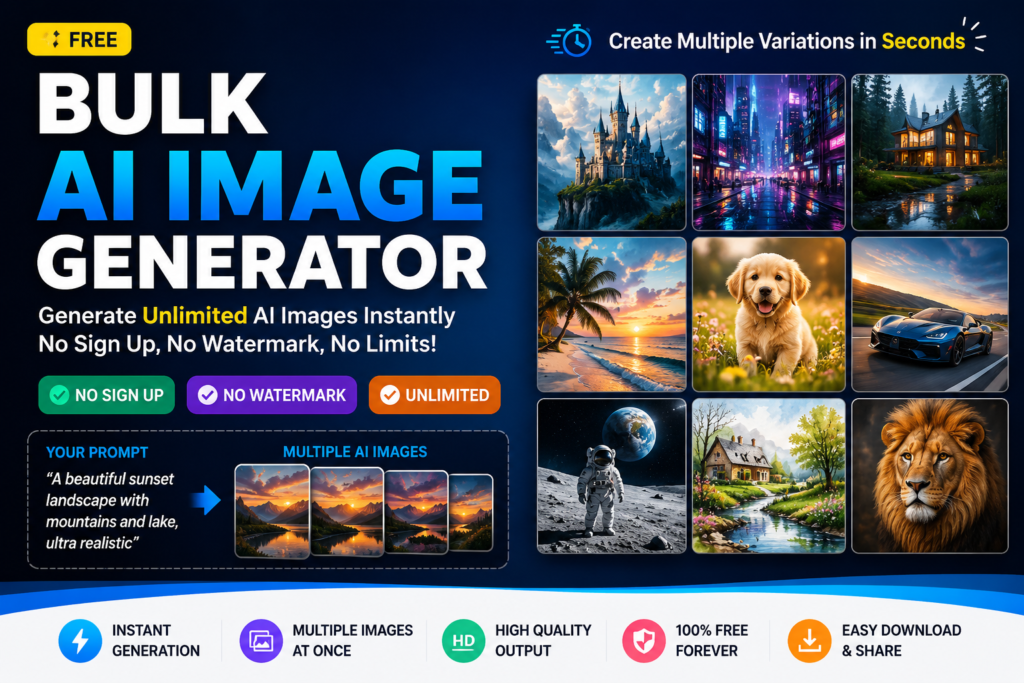
Free Bulk AI Image Generator: Create Unlimited AI Images with No Sign Up
Introduction
A free bulk AI image generator lets you create multiple high-quality images from text prompts in a single session without creating an account. Instead of generating one image at a time, you can produce dozens of unique visuals within minutes, making it an ideal solution for bloggers, marketers, designers, students, and business owners who need images at scale.
If you regularly create blog posts, social media graphics, product mockups, presentations, or marketing materials, generating images one by one quickly becomes time-consuming. A bulk AI image generator solves this problem by automating the process while maintaining image quality and creative flexibility.
This guide explains how bulk AI image generation works, why it saves time, which features matter most, and how to choose the right tool for your workflow. You’ll also learn practical tips, common mistakes to avoid, and ways to generate better AI images consistently.
What Is a Free Bulk AI Image Generator?
A bulk AI image generator is an online tool that creates multiple AI-generated images from one or more text prompts simultaneously. Instead of repeating the same process dozens of times, users simply enter their prompt, choose the number of images they want, and let the AI produce the results automatically.
Traditional AI image generators usually focus on creating one image at a time. While that approach works for small projects, it becomes inefficient when you need hundreds of visuals for blogs, online stores, advertising campaigns, or social media content.
A free bulk AI image generator removes that limitation by allowing users to generate many variations in one session. This dramatically reduces production time while giving users more creative options to choose from.
Common Applications
- Blog featured images
- Pinterest graphics
- Instagram content
- Facebook posts
- YouTube thumbnails
- Website banners
- E-commerce product mockups
- Print-on-demand artwork
- Digital marketing creatives
- Educational illustrations
Why Use an Image Generator with No Sign Up?
Many online AI tools require users to register before generating even a single image. While creating an account may seem like a small step, it often interrupts creativity and slows down the workflow.
An image generator with no sign up removes unnecessary barriers. Users can immediately start generating images without sharing personal information, verifying an email address, or remembering another password.
Main Advantages
- Instant access
- No account creation
- No waiting for verification emails
- Faster workflow
- Better privacy
- Suitable for quick projects
- Easy for beginners
- Accessible from any device
For professionals working on tight deadlines, these advantages can significantly improve productivity.
How Bulk AI Image Generation Works
Modern AI image generators rely on advanced machine learning models trained to understand natural language prompts. When you describe an image, the model analyzes your request, identifies key visual elements, and generates original artwork based on your instructions.
Bulk generation extends this process by repeating it multiple times in parallel. Each generated image can include subtle differences in composition, lighting, color palette, camera angle, or artistic style, giving users multiple creative options from a single prompt.
- Write a detailed text prompt.
- Select the desired image style.
- Choose image dimensions.
- Specify how many images to generate.
- Start the generation process.
- Review all results.
- Download the best versions.
The better your prompt, the better the generated images. Small prompt improvements often produce dramatically different results.
Key Features to Look For
| Feature | Why It Matters |
|---|---|
| Bulk Generation | Create multiple images at once |
| No Sign Up | Start immediately without registration |
| High Resolution | Suitable for websites and printing |
| Multiple Styles | Create realistic, artistic, anime, or 3D images |
| Fast Processing | Save valuable production time |
| No Watermark | Professional-looking final images |
| Unlimited Usage | Create as many images as needed |
| Mobile Friendly | Generate images from any device |
Choosing a tool with these features helps improve both productivity and creative flexibility, especially when working on large content projects.
Benefits of Using a Free Bulk AI Image Generator
Generating images in bulk offers more than convenience. It changes how creators, businesses, and marketers produce visual content. Instead of spending hours creating individual graphics, users can build an entire image library within minutes.
1. Save Valuable Time
Time is one of the biggest advantages. Rather than repeating the same process multiple times, you can generate dozens of unique images with a single prompt. This is especially useful for agencies, bloggers, and social media managers handling multiple projects.
2. Increase Productivity
Bulk generation allows creators to focus on editing, publishing, and marketing instead of repeatedly creating images. A streamlined workflow helps complete projects much faster.
3. More Creative Choices
Every generated image is slightly different. This variety helps users compare multiple styles, backgrounds, colors, and compositions before selecting the final design.
4. Ideal for Large Projects
- Website graphics
- Blog featured images
- Pinterest pins
- Facebook campaigns
- Instagram posts
- YouTube thumbnails
- Ecommerce product images
- Presentation graphics
- Print-on-demand artwork
- Marketing banners
5. Cost Effective
Many free bulk image generators eliminate expensive design software subscriptions for basic content creation. Small businesses and freelancers can produce professional-looking visuals without increasing their marketing budget.
Bulk AI Image Generator vs Traditional AI Image Generator
| Feature | Bulk AI Generator | Traditional Generator |
|---|---|---|
| Generate Multiple Images | Yes | Usually One at a Time |
| Time Required | Very Fast | Slower |
| Workflow Efficiency | Excellent | Average |
| Content Creation Speed | High | Low |
| Suitable for Businesses | Excellent | Limited |
| Large Marketing Campaigns | Ideal | Not Efficient |
| Product Variations | Easy | Time Consuming |
| Scalability | Excellent | Limited |
If your goal is to create content at scale, a bulk AI image generator provides a much more efficient workflow than generating images individually.
How to Generate Multiple AI Images Step by Step
Open the Bulk Image Generator
Launch your preferred bulk AI image generator that allows instant access without requiring registration.
Write a Clear Prompt
Describe exactly what you want to create. Include the subject, lighting, style, colors, background, camera angle, and mood.
Select an Art Style
Choose the visual style that best matches your project. Popular choices include realistic photography, digital illustration, watercolor, anime, cinematic, 3D rendering, pixel art, and vector graphics.
Select Image Size
Choose dimensions based on your intended platform. Square images work well for social media, while landscape formats are ideal for blog banners and website headers.
Choose the Number of Images
Generate multiple variations instead of just one. Having several options increases the chance of finding the perfect image.
Start Image Generation
Allow the AI to process your prompt. Depending on the tool, generation usually takes only a few seconds.
Review Every Variation
Compare composition, lighting, colors, facial expressions, backgrounds, and overall quality before selecting the best results.
Download Your Images
Save the images in the desired format and organize them into folders for future projects.
Practical Examples
Example 1: Blog Featured Images
A technology blogger publishing five articles every week can generate dozens of featured images in one session instead of designing each graphic individually.
Example 2: Social Media Marketing
A digital marketing agency can produce multiple Instagram, Facebook, LinkedIn, and Pinterest graphics from a single campaign brief.
Example 3: Ecommerce Store
An online store selling hundreds of products can quickly create promotional banners, category graphics, seasonal advertisements, and product mockups.
Example 4: Print-on-Demand Business
Designers selling shirts, mugs, posters, stickers, and phone cases can generate hundreds of creative concepts before selecting the strongest designs.
Example 5: YouTube Content
Creators can prepare multiple thumbnail concepts for each video, making A/B testing much easier and improving click-through rates.
Who Should Use a Bulk AI Image Generator?
-
Bloggers
Create attractive featured images for every article without spending hours designing graphics.
-
Content Creators
Produce visuals for videos, blogs, newsletters, and digital products from a single dashboard.
-
Graphic Designers
Generate creative concepts faster before refining the final artwork.
-
Freelancers
Deliver projects more quickly while increasing productivity and client satisfaction.
-
Marketing Agencies
Create advertising assets for multiple clients simultaneously while maintaining consistency.
-
Students
Generate illustrations, presentations, educational graphics, and creative assignments in minutes.
-
Small Businesses
Create promotional materials without hiring a dedicated designer for every campaign.
-
Ecommerce Sellers
Design banners, promotional graphics, product collections, and seasonal marketing materials more efficiently.
Expert Tips for Better AI Image Generation
Creating high-quality AI images isn’t just about writing a prompt. Small improvements in your prompt structure can dramatically improve the final results. Professionals often spend more time refining prompts than generating images because better instructions produce better artwork.
1. Be Specific
Avoid generic prompts such as “beautiful landscape.” Instead, describe the scene in detail, including lighting, weather, colors, camera angle, mood, and subject.
Example:
- Snow-covered mountains during sunrise with soft golden light, ultra realistic photography, cinematic composition, 8K quality.
2. Mention the Style
Always specify the desired visual style. Different styles produce completely different outputs.
- Photorealistic
- Digital Art
- Anime
- Watercolor
- Oil Painting
- Fantasy Art
- Cyberpunk
- Minimalist Illustration
3. Include Lighting Details
Lighting affects the overall mood of an image. Try using phrases such as:
- Golden hour lighting
- Studio lighting
- Soft natural light
- Neon lighting
- Dramatic shadows
- Cinematic lighting
4. Describe Camera Settings
If you want realistic photographs, include camera-related details.
- Portrait lens
- 35mm photography
- Wide-angle shot
- Shallow depth of field
- High dynamic range
- Bokeh background
5. Generate Multiple Variations
Instead of relying on the first result, generate several variations. Comparing different compositions often helps you discover a much stronger final image.
6. Refine Your Prompt
If the first results are not perfect, adjust your prompt by adding or removing descriptive details. Even a few words can significantly improve image quality.
Best Practices
- Write detailed prompts instead of short descriptions.
- Use natural language.
- Choose the correct aspect ratio for your platform.
- Generate several image variations before selecting one.
- Keep prompts organized for future reuse.
- Review image quality before downloading.
- Use high-resolution outputs whenever possible.
- Organize downloaded images into folders.
- Experiment with different artistic styles.
- Keep improving prompts based on previous results.
Common Mistakes to Avoid
Using Extremely Short Prompts
Short prompts leave too much room for interpretation. Detailed instructions almost always produce better images.
Ignoring Image Size
Choosing the wrong dimensions may reduce quality or require unnecessary cropping later.
Generating Only One Image
Professionals rarely rely on the first output. Creating multiple variations increases your chances of finding the perfect result.
Using Generic Keywords
Words like “nice,” “beautiful,” or “good” provide very little guidance. Replace them with precise visual descriptions.
Not Testing Different Styles
Sometimes a simple style change produces dramatically better results. Always compare multiple artistic approaches.
Skipping Prompt Refinement
The first attempt is rarely perfect. Small prompt adjustments often produce significant improvements.
Pros and Cons
| Pros | Cons |
|---|---|
| Generate many images simultaneously | Image quality depends on prompt quality |
| No sign-up required on many platforms | Some advanced features may require premium access |
| Saves hours of manual work | Results may vary between AI models |
| Suitable for beginners and professionals | Requires experimentation for the best outcomes |
| Supports multiple creative styles | Complex prompts may need refinement |
| Excellent for large content projects | Some tools limit daily generations |
Frequently Asked Questions
1. What is a free bulk AI image generator?
A free bulk AI image generator is an online tool that creates multiple AI-generated images from one or more text prompts at the same time. It helps users save time by producing many image variations in a single session instead of generating each image individually.
2. Can I generate AI images without creating an account?
Yes. Many modern AI image generators allow instant access without registration. This makes them ideal for users who want to create images quickly while protecting their privacy.
3. Is a bulk AI image generator suitable for commercial use?
That depends on the licensing terms of the specific platform. Always review the tool’s usage policy before using generated images for commercial projects, advertising, or product sales.
4. Who benefits the most from bulk image generation?
Bloggers, designers, digital marketers, ecommerce businesses, agencies, educators, students, and content creators benefit the most because they regularly need large numbers of visual assets.
5. Does generating more images reduce quality?
No. A quality AI model can generate multiple high-resolution images while maintaining excellent detail. The final quality depends more on your prompt than on the number of images generated.
6. How can I improve AI image quality?
Write detailed prompts, specify lighting, style, camera angle, colors, composition, and subject. Generating multiple variations and refining your prompt usually leads to better results.
7. Are AI-generated images unique?
Each generation is created from your prompt and normally produces original variations. However, similar prompts may create visually related results, so experimenting with different wording is recommended.
8. What image formats are commonly supported?
Most AI image generators allow downloads in popular formats such as PNG, JPG, or WEBP. The available formats depend on the platform you choose.
9. Can I use a bulk AI image generator on mobile devices?
Yes. Most modern web-based generators work on desktops, tablets, and smartphones without requiring software installation.
10. Why choose a no-sign-up AI image generator?
A no-sign-up tool lets you start immediately without creating an account, verifying an email address, or sharing personal information. This provides a faster and more convenient user experience.
Summary
A free bulk AI image generator is one of the most efficient ways to create high-quality visuals at scale. Instead of generating images one by one, you can produce multiple unique images from a single prompt, saving valuable time while increasing productivity.
Whether you’re a blogger publishing weekly articles, a digital marketer managing advertising campaigns, a designer exploring creative concepts, or an ecommerce business creating promotional graphics, bulk image generation simplifies your workflow and helps you maintain consistent visual quality.
Choosing an image generator with no sign up offers an additional advantage by removing unnecessary barriers. You can start creating immediately without registering an account, verifying an email address, or remembering another password.
The best results come from writing detailed prompts, experimenting with different styles, generating multiple variations, and refining your instructions based on previous outputs. Small improvements in prompt quality often lead to significantly better images.
As AI image generation continues to evolve, creators who understand prompt writing, workflow optimization, and image selection will be able to produce better content faster than ever before.
Create Unlimited AI Images for Free
Ready to generate multiple AI images in seconds? Try the free Bulk Image Generator on ShaheerTools and create high-quality images without signup, watermarks, or unnecessary restrictions. Whether you need images for blogs, social media, websites, presentations, or business projects, ShaheerTools makes the process simple, fast, and accessible.
Explore more free online tools to edit, convert, optimize, and enhance your images—all from one place.
Trusted Resources
If you’d like to learn more about web standards, accessibility, image optimization, and responsible content creation, these official resources are worth exploring:
